
Key Takeaways
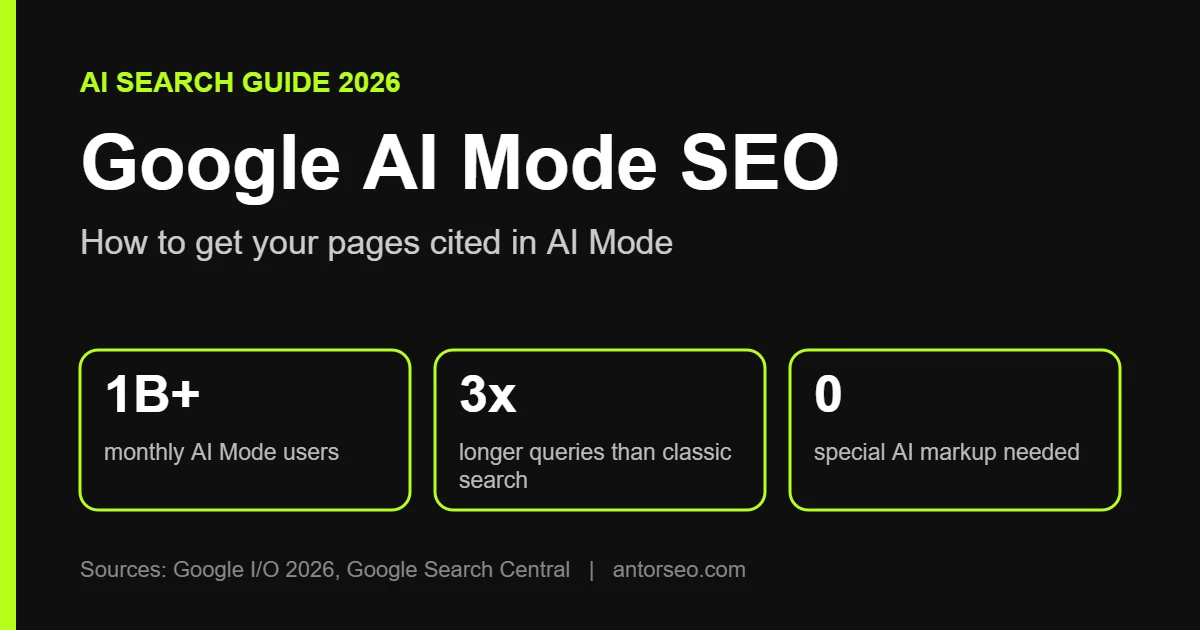
- Google AI Mode is the conversational, full-page AI search in Google. It passed one billion monthly users one year after launch.
- AI Mode uses query fan-out: it runs many related searches, then picks sources with Google’s core ranking and quality systems.
- Google says there are no extra technical requirements. A page must be indexed and eligible to show with a snippet.
- Google’s AI optimization guide calls this work “still SEO” and says llms.txt, content chunking and AI-style rewrites are not needed.
- What wins is original, experience-based content that answers the follow-up questions people ask next. Track it in the Generative AI report in Search Console.
Google AI Mode SEO is the work of getting your pages cited as sources inside Google’s AI Mode answers. AI Mode is no longer a side experiment. Google says it passed one billion monthly users one year after its debut, with queries more than doubling every quarter.
This guide explains how AI Mode picks sources, what Google’s own documentation tells site owners to do, which popular tactics to skip, and how to measure your visibility.
What Is Google AI Mode?
Google AI Mode is a conversational search experience inside Google Search. You ask a question, get a written answer with links to supporting pages, and keep asking follow-ups in the same thread. It runs on Google’s Gemini models and accepts text, voice, images and files.
People search differently in AI Mode. Google reports that the average AI Mode search is triple the length of a traditional query, and that planning queries are growing faster than AI Mode queries overall. In its Q3 2026 earnings remarks, Google said one in five AI Mode searches globally now use voice, images or documents.
AI Mode vs AI Overviews
The two features are related but not the same. An AI Overview is a single AI summary that sits on top of a normal results page, and it only shows when Google judges it useful. AI Mode is a full-page conversation built for longer, multi-step questions. Google now lets a person ask a follow-up from an AI Overview and continue straight into AI Mode, with their context kept.
| AI Overviews | AI Mode | |
|---|---|---|
| Where it appears | Top of a normal results page | Its own full-page experience |
| When it shows | Only when Google thinks it adds value | Whenever a person uses AI Mode |
| Interaction | One summary, then classic results | Multi-turn conversation with follow-ups |
| Best for | Quick answers | Comparisons, planning and complex questions |
If you want the AI Overviews side in detail, read our guide on how to optimize for Google AI Overviews. This article focuses on AI Mode.
How AI Mode Chooses Which Pages to Cite
AI Mode does not run your question as one search. According to Google’s documentation on AI features and your website, it can use a technique called query fan-out. The system issues many related searches across subtopics, then finds supporting pages while it writes the answer. That is why AI Mode often links to a wider and more varied set of sites than a classic results page.
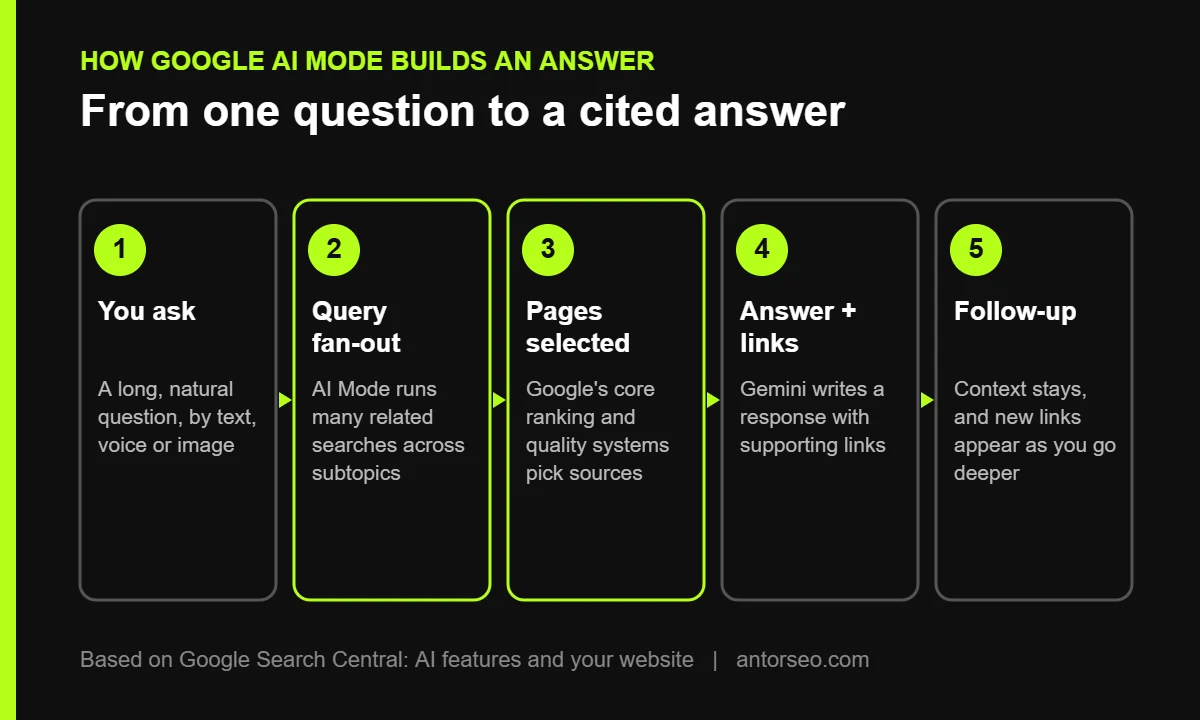
The important part is step three. Google’s AI optimization guide says AI Overviews and AI Mode rely on Google’s core ranking and quality systems. There is no separate AI index to “get into.” A page that is weak in classic search is unlikely to be picked by AI Mode, and a page that answers subtopics well has more chances to be cited, because fan-out searches touch more of those subtopics.
What Google Officially Says About Optimizing for AI Mode
In May 2026, Google published its first AI optimization guide for site owners. Its main message is simple: optimizing for generative AI features in Search is still SEO. The guide gives three groups of advice.
- Create valuable, non-commodity content. Offer a unique point of view based on first-hand experience instead of repeating what every other page says. Use clear headings and support text with good images and video.
- Build a clear technical structure. Pages must be indexed and eligible to appear with a snippet. Keep content crawlable, follow JavaScript SEO practices, give a good page experience and reduce duplicate content.
- Keep local and product data current. Use Google Business Profile and Merchant Center feeds so your business and products can appear in AI responses.
Google’s separate documentation adds that there are no extra requirements and no special schema for AI features. Standard SEO best practices still apply. This matches what we explain in SEO vs AEO vs GEO: good SEO already covers AI search.
How to Get Cited in Google AI Mode
1. Make Sure Google Can Index and Show Your Pages
Every AI Mode citation starts with a page Google can crawl, index and show with a snippet. Check that robots.txt, your CDN and your hosting firewall do not block Googlebot. Do not use nosnippet on pages you want cited. Use the URL Inspection tool in Search Console to confirm a page is indexed. Our technical SEO guide covers the full setup. On large sites, also check your crawl budget.
2. Write What Only You Can Write
AI Mode can summarize generic advice from anywhere. It needs sources for what it cannot summarize alone: original data, real examples, tested results and expert judgment. Add your own numbers, screenshots from real projects, and clear opinions backed by experience. This is the core of E-E-A-T, and Google’s guide puts it first.
3. Answer the Follow-Up Questions
AI Mode conversations continue. Someone who asks “how much does SEO cost” will often ask next “is $500 a month enough” or “freelancer or agency.” Cover those next questions on the same page or link to pages that answer them. Our SEO cost guide is built this way, with the follow-ups answered in its sections and FAQ.
Do not go the other way and create a thin page for every possible fan-out query. Google’s guide warns that pages made mainly to manipulate rankings or AI responses for these queries violate its scaled content abuse policy.
4. Use Clear Structure and Rich Media
Use descriptive headings, short paragraphs, tables for comparisons and lists for steps. This helps people first and also makes your answer easy to find. Add original images, charts and video where they explain something better than text. Google lists high-quality images and video as part of good content for AI features. Keep important information in text, not only inside images.
5. Build Topical Depth With Internal Links
Fan-out searches spread across subtopics. A site that covers a topic from many angles, and links those pages together, gives Google more relevant pages to choose from. Plan clusters around your core services and connect them with a clear internal linking structure.
6. Keep Business and Product Data Up to Date
Many AI Mode questions are local or commercial: “best dentist near me open Saturday” or “running shoes under $100 for flat feet.” Google pulls these answers from Business Profile and Merchant Center data as well as web pages. Keep hours, services, prices and stock accurate. See our guide to Google Business Profile optimization.
7. Use Structured Data Correctly, Not as a Shortcut
Structured data is not required for AI Mode, and there is no special AI schema. It still helps Google understand your pages and qualify them for rich results. Make sure your schema markup matches the visible text on the page.
AI Mode Myths to Ignore
A lot of “AI SEO” advice sold today is not supported by Google. The AI optimization guide lists several tactics that are not needed for Google Search.
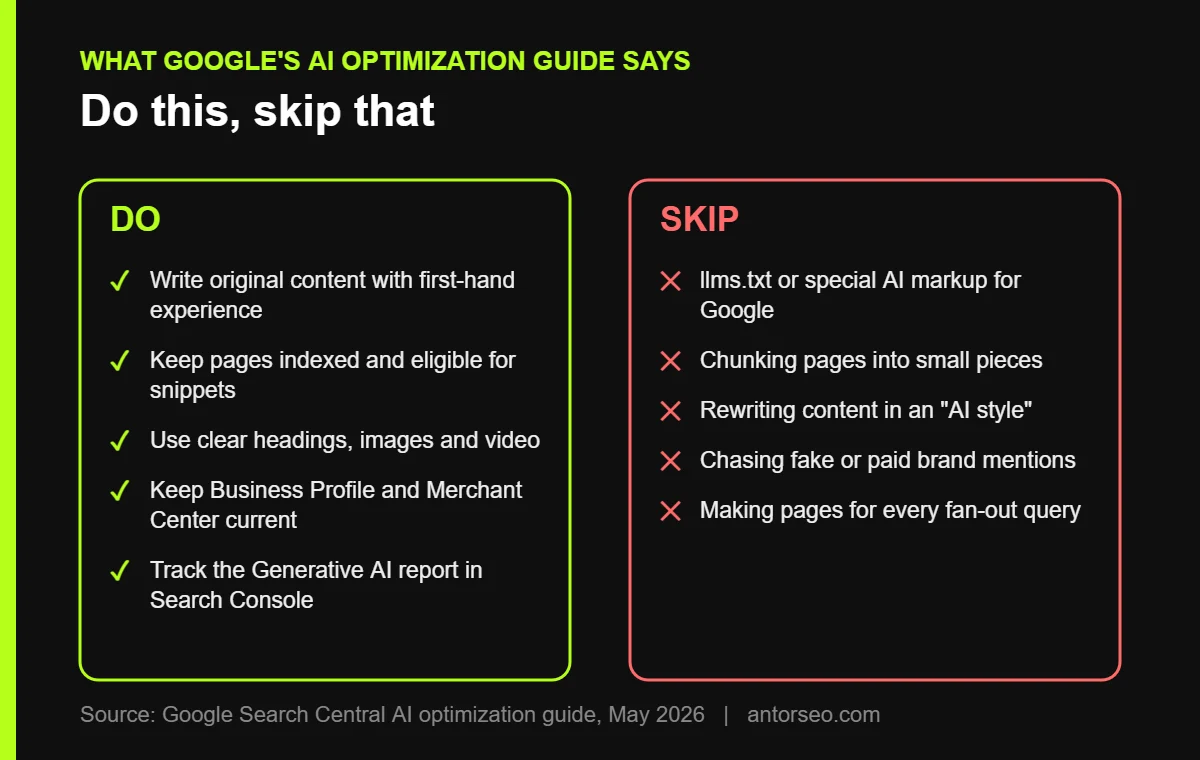
- llms.txt and special markup. Google Search does not use them. Our llms.txt guide explains where the file may still matter for other tools.
- Chunking content. You do not need to split pages into tiny pieces. Google says there is no ideal page length.
- Rewriting for AI. Google’s systems understand synonyms and meaning. Write for people.
- Buying mentions. Inauthentic mentions are less useful than they look, because spam systems catch them.
- Trusting tools that claim insider access. Google states that no third-party tool has access to its internal ranking or AI systems.
How to Track Your Visibility in AI Mode
In June 2026, Google added Generative AI performance reports to Search Console. The Search report shows how often your pages appear in AI Overviews and AI Mode, with impressions by page, country, device and date.
- Open Search Console and go to the Performance report, then the Generative AI section.
- Find which pages get AI impressions and which important pages get none.
- Check clicks for the same pages in the main Performance report under the Web search type. Clicks from AI features are counted there.
- In Google Analytics, compare engagement and conversions from organic traffic before and after your changes.
- Run your top questions in AI Mode yourself, including two or three follow-ups, and note which sources appear. To do this at scale, see our comparison of AI visibility tools.
Search Console also has a setting that controls whether your content is included in Google’s generative AI features. If a site gets no AI impressions at all, check that setting first.
Does AI Mode Mean Less Traffic?
For some simple informational queries, yes. When an answer is complete, fewer people need to click. But Google says AI Mode can show a wider and more varied set of links than classic search, and the people who do click arrive further along in their decision. Google says clicks from pages with AI Overviews tend to be higher quality, with visitors spending more time on site.
The practical response is to measure leads and sales, not only sessions, and to invest in content that people need to visit: tools, original data, case studies and services. We cover this in our generative engine optimization guide and in how to rank in ChatGPT and Perplexity, since other AI engines use different systems from Google.
Frequently Asked Questions
-
Is Google AI Mode SEO different from regular SEO?
Not in its foundations. Google says AI Mode relies on its core ranking and quality systems and that optimizing for it is still SEO. The focus shifts toward original content and covering follow-up questions.
-
Do I need special schema or llms.txt for AI Mode?
No. Google states there is no special schema, AI text file or markup required for its AI features. Structured data still helps with rich results.
-
How do I know if my site appears in AI Mode?
Use the Generative AI performance report in Search Console. It shows impressions in AI Overviews and AI Mode by page, country, device and date.
-
Can I stop my content from appearing in AI Mode?
Yes. You can use nosnippet, data-nosnippet, max-snippet or noindex to limit what Google shows, and Search Console has a setting for generative AI features. Limiting snippets also limits how your page appears in classic results.
-
How long does it take to get cited in AI Mode?
There is no fixed timeline. A page first needs to be indexed and to rank reasonably well for related searches. New pages on a site with strong topical authority are usually picked up faster than pages on a new site.
Want to know whether your site is ready for AI Mode? Start with a free SEO audit that checks indexing, content gaps and AI search visibility in one review.