Internal linking is one of the most underrated levers in SEO. While most site owners chase backlinks and fresh content, the links you already control — the ones pointing from page to page within your own domain — quietly decide how Google crawls your site, how authority flows between pages, and whether your best content ever gets discovered by search intent-driven users.
This guide breaks down internal linking from first principles: what it is, why Google cares about it, and a practical, repeatable system for internal link building that actually moves rankings.
Key Takeaways
- Internal linking connects pages within your own domain, helping Google crawl your site, distribute link equity, and understand topical relevance.
- Pages that receive more internal links tend to rank higher — internal linking is a measurable ranking factor, not just a UX nicety.
- Aim for 5–7 internal links per 1,000 words, placed contextually within content rather than in navigation or footers.
- Use descriptive, keyword-relevant anchor text instead of generic phrases like “click here.”
- Orphan pages (pages with no internal links pointing to them) risk never being crawled or indexed — audit for these regularly.
- A pillar-cluster structure (broad pillar pages linked to and from specific supporting articles) is the most effective architecture for internal linking best practices.
- Internal linking supports E-E-A-T by demonstrating a coherent, well-organized body of expertise rather than disconnected content.
- Tools like Google Search Console, Screaming Frog, and Ahrefs make internal link audits fast and repeatable.
What Is Internal Linking?
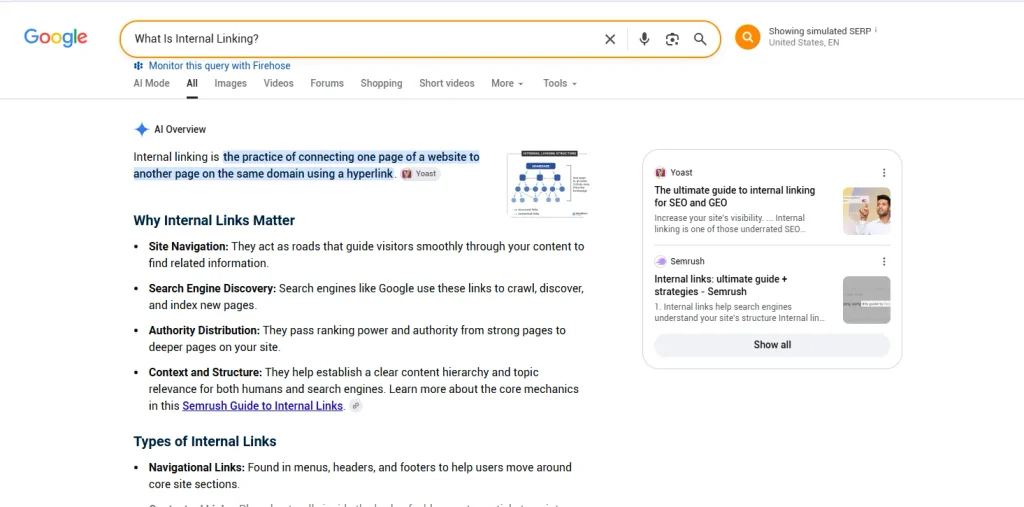
Internal linking is the practice of connecting one page on your website to another page on the same domain using a hyperlink. Unlike external links, which point to other websites, internal links keep users (and search engine crawlers) moving through your own content ecosystem.
A simple example: if you publish a guide on keyword research and later write a piece on on-page SEO, linking between the two helps readers naturally move from research to execution — and tells Google these topics are related.
Internal linking sits at the intersection of three things Google’s algorithm evaluates constantly:
- Crawlability — can Googlebot find and reach every important page?
- Link equity distribution — how is authority passed from strong pages to weaker ones?
- Topical relevance — do your internal links reinforce your site’s subject-matter expertise?
Google’s own developer documentation on link best practices confirms that links are used both to discover new pages and as a relevance signal for ranking. That single point is the foundation for everything in this guide.
Why Internal Linking Matters for SEO and Search Intent
Search intent is the reason a person types a query into Google in the first place — informational, navigational, commercial, or transactional. Internal linking directly supports search intent in three ways:
- It routes users toward the next logical step. Someone reading about technical SEO is often one click away from wanting a Core Web Vitals breakdown. Anticipating that intent and linking to it reduces bounce rate and increases time on site — both indirect signals Google associates with a satisfying result.
- It clarifies topical depth to Google. Sites that interlink content clusters around a theme (SEO, in this case) signal topical authority, which matters heavily for E-E-A-T. Our EEAT for SEO guide covers this in more depth.
- It reinforces the relevance of target keywords. Anchor text is still one of the strongest relevance signals Google has for understanding what a linked page is about — as long as it isn’t manipulated or over-optimized.
Ahrefs’ research on internal linking found that pages that receive more internal links from other pages on the same website tend to rank higher in Google, reinforcing that this isn’t just theory — it’s measurable.
How Internal Linking Affects Crawl Budget and Indexing
Google doesn’t crawl every page on every site infinitely. Larger sites, especially, need to think about crawl budget — the number of pages Googlebot is willing and able to crawl within a given timeframe.
Orphan pages (pages with zero internal links pointing to them) are a common and costly mistake. If Googlebot can’t find a path to a page through your internal link structure, that page may never get indexed, regardless of how good the content is. This is why internal linking should be treated as a technical SEO requirement, not just a content nicety — our technical SEO checklist covers crawlability alongside this.
A well-structured internal linking system typically follows a shallow site architecture — ideally, no important page should be more than 3 clicks from the homepage. This is sometimes visualized as a pyramid:
- Homepage
- Category / pillar pages
- Cluster / supporting articles
This structure is the backbone of what’s often called the pillar-cluster model, and it pairs naturally with a broader SEO content strategy. The concept of authority flowing through links traces back to Google’s original PageRank algorithm, which is still a foundational (if evolved) part of how link equity is understood today.
Internal Linking Best Practices
Here are the internal linking best practices that consistently produce results, whether you’re working on a 20-page site or a 2,000-page enterprise domain.
1. Link from high-authority pages to pages that need a boost
Identify your pages with the most backlinks or organic traffic (your “linking powerhouses”) and deliberately add contextual internal links from them to newer or underperforming pages. This is the single highest-leverage internal link building tactic available, since it passes existing authority downstream.
2. Use descriptive, keyword-relevant anchor text
Avoid generic anchors like “click here” or “read more.” Instead, use anchor text that describes the destination page, ideally including a relevant keyword variation — but don’t force exact-match anchors on every link, as this can look manipulative. Moz’s guidance notes that anchor text is one of the primary ways search engines determine what a linked page is about, so treat it as a relevance signal, not an afterthought.
3. Prioritize contextual, in-content links over navigation-only links
A link buried in your footer or a generic sidebar carries far less weight than a link placed naturally within the body of relevant content. Contextual links tell Google (and readers) that the connection between two pages is topically meaningful.
4. Keep internal link volume proportional to content length
A common rule of thumb — and the one used for this guide — is roughly 5 to 7 internal links per 1,000 words. Too few links under-utilizes your linking opportunities; too many can dilute the value passed to any single destination and feel spammy to readers.
5. Regularly audit for broken and orphaned internal links
Broken internal links waste crawl budget and hurt user experience. Run a site crawl (via Screaming Frog, Ahrefs, or Google Search Console) quarterly to catch 404s and orphan pages before they compound.
6. Match internal links to search intent, not just topic
Don’t just link because two pages are topically similar — link because the user reading page A is realistically going to want page B next. This is where internal linking best practices intersect directly with UX design.
7. Update old content with links to new content
Every time you publish something new, go back and add links to it from 3–5 relevant older posts. This is faster than waiting for new pages to earn links organically and is one of the most efficient internal link building workflows available.
Internal Link Building: A Step-by-Step Workflow
If you want a repeatable process rather than ad-hoc linking, follow this sequence:
- Map your content by topic cluster. Group your existing pages (e.g., off-page SEO, on-page SEO, technical SEO) so you can see natural linking opportunities.
- Identify pillar pages. These are your broadest, most comprehensive pages per topic — the ones meant to rank for high-volume, top-of-funnel keywords.
- Link cluster content up to pillars, and pillars down to clusters. This bidirectional linking is what search engines interpret as a well-organized topical hub.
- Audit link equity distribution. Use a tool like Ahrefs’ Site Audit or Screaming Frog to see which pages have the most and fewest internal links pointing to them, then rebalance.
- Refresh anchor text periodically. As you add new pages targeting more specific keywords, update older anchor text to point to the more specific, relevant page rather than always linking back to the broad pillar.
- Monitor with Google Search Console. The Links report shows your top internally linked pages — useful for spotting orphaned or under-linked content that needs attention.
Internal Links for SEO: Common Mistakes to Avoid
- Over-optimizing anchor text with the exact same keyword phrase on every single link, which can look like manipulation rather than natural linking.
- Linking to irrelevant pages just to hit a link-count quota — every internal link should serve the reader first.
- Ignoring mobile navigation structure, which often hides deep internal links behind collapsed menus that both users and crawlers may skip.
- Neglecting to update internal links after a URL change or content consolidation, leading to redirect chains that dilute link equity.
- Treating internal linking as a one-time task instead of an ongoing part of your SEO content strategy.
Search Engine Land has noted that internal linking is frequently overlooked in favor of external link building, despite being one of the few ranking factors entirely within a site owner’s control — which is exactly why it deserves a dedicated strategy rather than an afterthought.
Internal Linking and Google’s E-E-A-T Framework
Google’s Search Quality Rater Guidelines emphasize Experience, Expertise, Authoritativeness, and Trustworthiness. Internal linking supports this indirectly: a site with well-organized, deeply interlinked content demonstrates a coherent body of expertise on a subject, rather than a scattered collection of disconnected articles. Our dedicated piece on E-E-A-T for SEO goes deeper into how content structure signals trust.
This also connects to how Google’s ranking systems evaluate pages overall — see our breakdown of Google ranking factors for the bigger picture.
Tools for Internal Linking Analysis
- Google Search Console — free, shows your most internally linked pages and helps surface orphaned content.
- Screaming Frog SEO Spider — crawls your site to map internal link structure and flag broken links.
- Ahrefs Site Audit — visualizes internal link equity flow and highlights orphan pages at scale.
- Semrush Site Audit — similar functionality with additional integration into keyword and content tools.
- Link Whisper (WordPress plugin) — suggests internal linking opportunities automatically based on content analysis.
How Internal Linking Fits Into a Broader SEO Strategy
Internal linking doesn’t work in isolation — it’s most effective when paired with solid keyword research, clean technical SEO foundations, and content built around real search intent. If you’re also thinking about how content surfaces in AI-driven search experiences, our guide on optimizing for Google AI Overviews is a useful next read, since well-linked, well-structured content tends to perform better there too.
Final Thoughts
Internal linking is one of the few SEO levers you fully control — no outreach required, no dependency on other webmasters, no guesswork about algorithm updates. A deliberate internal link building strategy, grounded in internal linking best practices and built around real search intent, compounds over time: every new page you publish becomes an opportunity to strengthen the pages around it.
Start with an audit, fix your orphan pages, prioritize contextual internal links for SEO over navigational ones, and treat internal linking as a living part of your content strategy rather than a one-time setup task.