Search intent decides almost everything about whether a title tag and meta description work. Before you write a single character, Google (and increasingly, AI answer engines) has already decided what kind of result it wants to show for a query — a how-to, a product page, a comparison, a definition. Your job isn’t to write a “catchy” title in isolation; it’s to write the title and description that most precisely match what the searcher is trying to accomplish, using your primary keyword in a way that reads naturally.
This guide covers title tag SEO from both angles that matter in 2026: getting the click in classic Google Search, and getting quoted or cited when someone asks ChatGPT, Perplexity, or Google’s AI Overviews the same question.
Key Takeaways
- Title tags directly influence clicks, Google calls them “title links” and says they’re often the primary factor searchers use to choose a result.
- Keep titles 50–60 characters so they don’t get truncated in the SERP, and put your primary keyword near the front.
- Meta descriptions don’t affect rankings directly, but they’re the biggest lever you control over click-through rate.
- Every title and description should be unique per page, duplicates are one of the top reasons Google rewrites your title itself.
- Match search intent first, keyword second, the right format (guide, checklist, comparison, product) matters more than exact keyword match.
- AI engines reward the same clarity humans do, question-based headings and direct first-sentence answers can lift AI citation rates by up to 2.8x.
- Structured data (FAQ/Article schema) and E-E-A-T signals help both Google and AI systems trust and extract your content.
What a Title Tag Actually Does
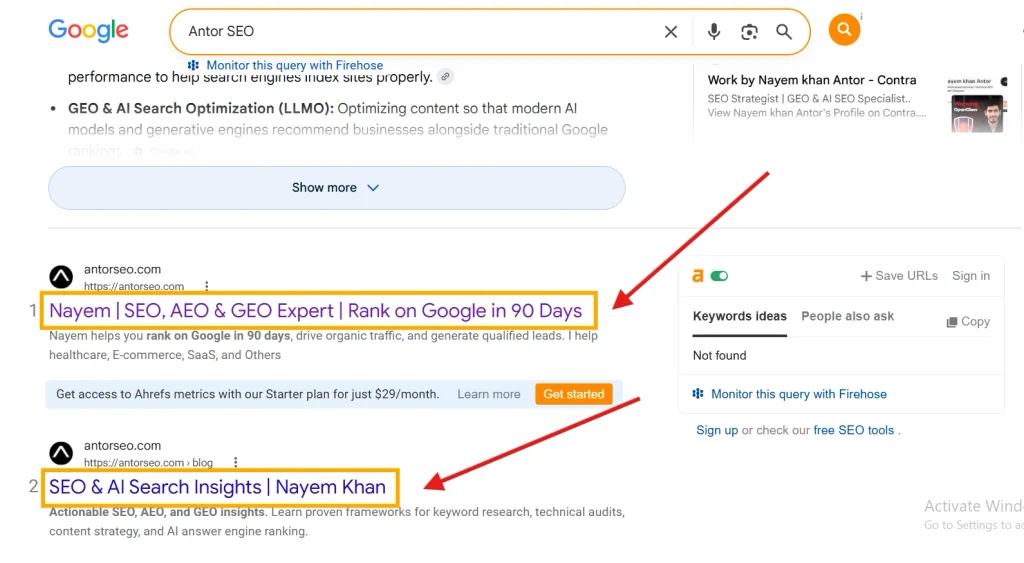
A title tag is the HTML element for a page. Google calls the clickable blue headline in search results a “title link,” and it’s built primarily — but not exclusively — from that tag. As part of its official guidance on title links, Google states that a title link is the title of a search result that links to the web page, and it’s often the primary piece of information people use to decide which result to click on. That single sentence is the entire argument for treating title tags as a core on-page SEO task rather than an afterthought you fill in after publishing.
Google also confirms it won’t always use your exact text. According to reporting on Google’s own documentation, Google Search can pull the title link from up to nine different sources, including your <title> tag, on-page headings, Open Graph title tags, and even anchor text from links pointing to the page. That’s a good reason your <title> and your H1 should agree, and why the anchor text other sites (and your own internal links) use to point at a page matters more than most writers assume.
Title Tag SEO Best Practices
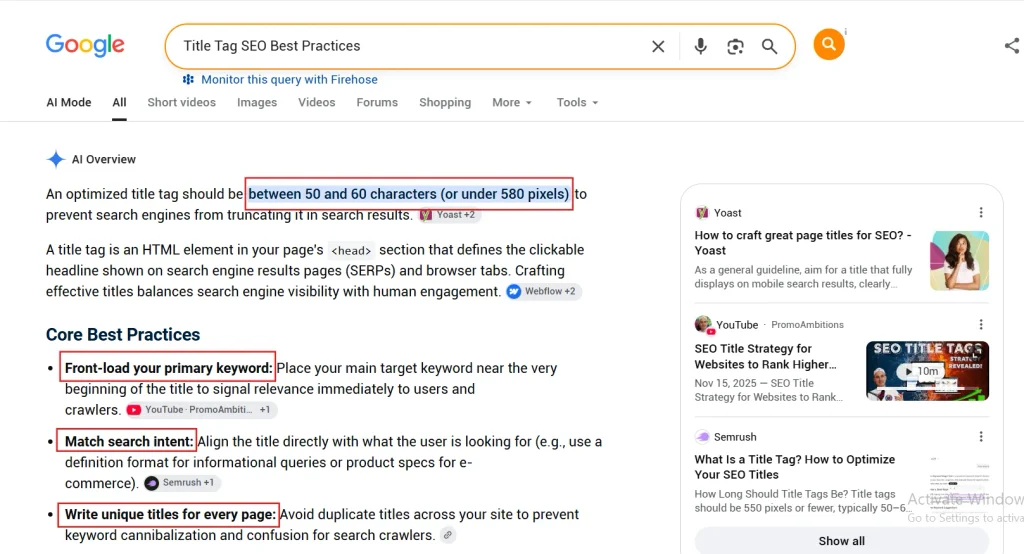
1. Put the Primary Keyword Near the Front
Search engines still weight terms that appear early in the title more heavily. If your primary keyword is “title tag SEO,” a title like “Title Tag SEO: How to Write Titles That Rank” beats “How to Write Titles That Rank: A Title Tag SEO Guide” for relevance signaling, even though both are readable. This only works if the keyword also matches what people are actually searching for — keyword-first titles that ignore intent just look spammy.
2. Keep It Under ~580 Pixels (Roughly 50–60 Characters)
There’s no hard character limit, but Google truncates title links to fit the device width. Google explicitly warns against “unnecessarily long or verbose text” because the result gets cut off mid-sentence, which looks broken and kills the click. Aim for 50–60 characters as a safe target across desktop and mobile.
3. Write One Unique Title Per Page
Google lists “repeated or boilerplate text in elements” as one of the specific things that causes it to override your title and write its own. This is one of the most common issues found in a basic technical SEO audit — templated titles like “Buy [Product] | Brand Name” repeated across hundreds of category pages, with nothing distinguishing one page from the next.
4. Match Search Intent, Not Just Keyword Match
A title can contain the exact keyword and still fail if it answers the wrong question. Someone searching “title tag SEO” might want a definition, a checklist, or a tool — matching the format your title promises to the format Google is already ranking for that query (check the current top 10) is a faster win than any amount of keyword tweaking. This is the same intent-matching logic covered in our guide to Google’s core ranking factors.
5. Add a Modifier When It Matches Intent
Words like “guide,” “checklist,” “examples,” “2026,” or “step-by-step” don’t help every query, but when searchers are clearly looking for a specific content type, matching that expectation in the title improves click-through rate without needing to touch rankings at all.
6. Avoid Keyword Stuffing
Google’s own guidance is blunt here: avoid keyword stuffing — having the same words or phrases appear multiple times doesn’t help the user and can make results look spammy to both Google and searchers. One clean mention of your keyword outperforms three awkward ones.
Meta Description Best Practices
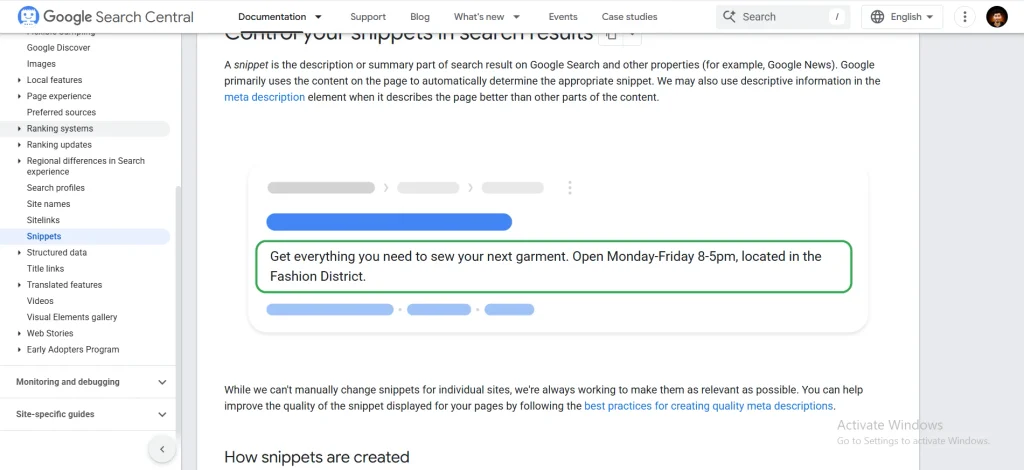
Meta descriptions aren’t a direct ranking factor, but they are the single biggest lever you control over click-through rate once a page is already ranking — which is exactly why they belong in any serious on-page SEO checklist.
Per Screaming Frog’s SEO guidance, an effective meta description follows four rules: it should be descriptive, unique, enticing, and optimal in length. In practice:
- Length: Keep it around 140–155 characters. Google rewrites descriptions it judges to be a poor match for the query, so writing a good one doesn’t guarantee it displays — but it raises the odds.
- Front-load the value: Lead with the benefit or the answer, not a generic setup sentence.
- Include the keyword naturally: Google bolds matching query terms in the snippet, which draws the eye.
- Add a reason to click: A specific number, outcome, or promise (“12 checks,” “in 10 minutes,” “with real examples”) consistently outperforms vague summaries.
- Write a unique description per page. Duplicate meta descriptions across a site are treated the same way as duplicate titles — as a missed opportunity, not a rule violation, but still a missed opportunity.
Writing for Search Intent (the Part Most Guides Skip)
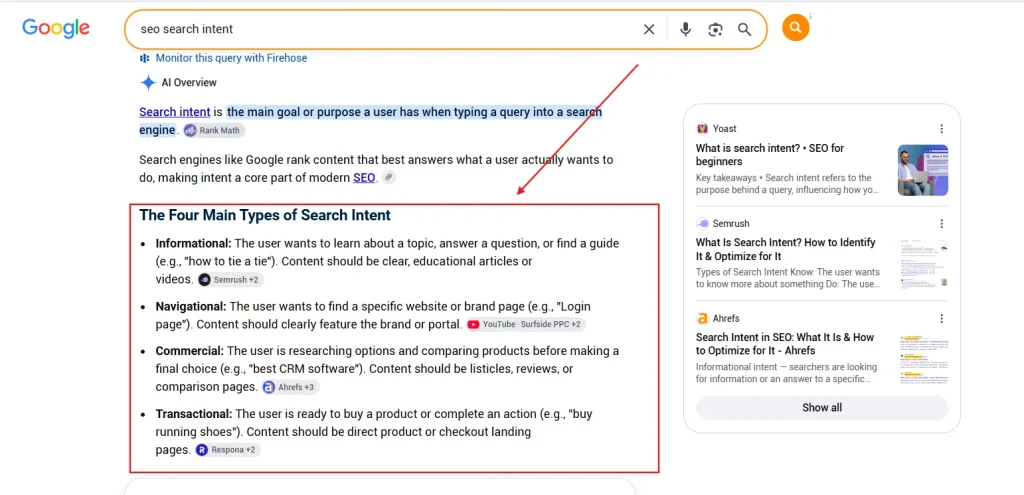
Every query maps to one of four intents: informational, navigational, commercial, or transactional. Title tag SEO only works when the title’s promise matches that intent:
| Intent | Query example | Title that matches |
|---|---|---|
| Informational | “what is a title tag” | “What Is a Title Tag? Definition & Examples” |
| Commercial | “best seo tools” | “9 Best SEO Tools in 2026 (Tested & Compared)” |
| Transactional | “buy seo audit service” | “SEO Audit Service — Get Your Report in 48 Hours” |
| Navigational | “moz title tag tool” | “Moz Title Tag Preview Tool — Official Page” |
If your keyword research process doesn’t already tag each target keyword with an intent, that’s the missing step — not the title itself.
Writing Title Tags and Meta Descriptions for AI Citations
Google AI Overviews, ChatGPT, and Perplexity don’t display a title link the way classic search does, but the underlying , headings, and structured data still shape whether your page gets pulled into an answer at all. Independent research on AI citation patterns found that 55% of AI Overview citations come from the top 30% of a page’s content, and aligning the H1 and title tag with the exact phrasing a buyer would use improves semantic matching during retrieval. In other words, the same clarity that helps a human decide to click also helps a language model decide to quote you.
Structure compounds this effect. One study of citation patterns found that pages with structured, question-based headings and FAQ sections saw a 2.8x citation lift compared to unstructured pages, because clear sections let models find and extract the right passage faster. Practical steps:
- Phrase headings as the exact question searchers ask — “How Long Should a Title Tag Be?” beats “Title Length” as an H2.
- Answer in the first sentence under each heading, then expand. This mirrors the structure covered in our guide to optimizing for Google AI Overviews.
- Add FAQ schema and Article schema. Structured data doesn’t replace good writing, but it removes ambiguity for machines parsing your page.
- Reinforce authorship and expertise. AI systems weigh trust signals the same way Google’s E-E-A-T guidelines do — a named author, a publish date, and clear sourcing all raise citation odds.
This overlap between classic SEO and answer-engine visibility is exactly what generative engine optimization and answer engine optimization are built around. If you’re not sure how the three disciplines differ in practice, our breakdown of SEO vs. AEO vs. GEO and our platform-specific guide to ranking in ChatGPT and Perplexity go deeper than this section can.
A Simple Template
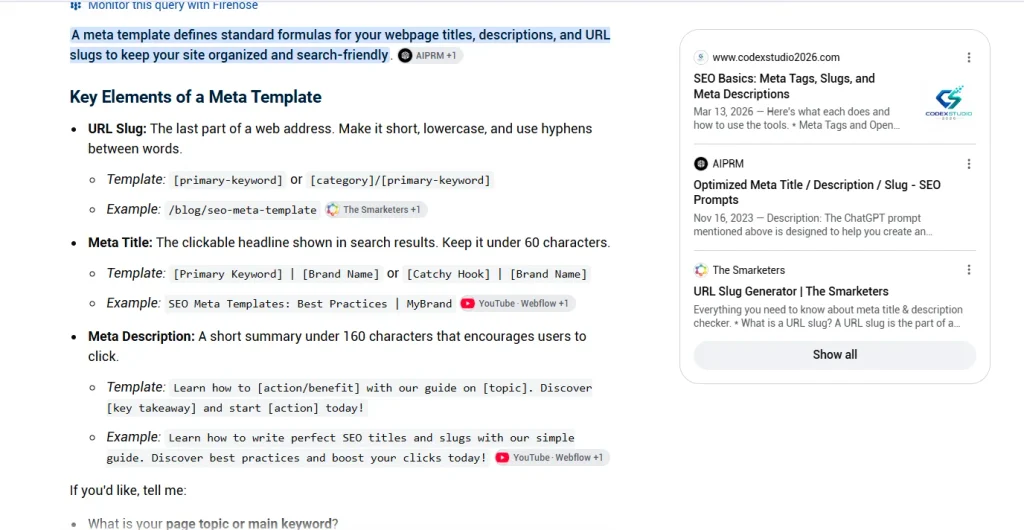
Title tag: Primary Keyword: Specific Benefit or Format | Brand
Meta description: Answer the query in one clause + a concrete detail (number, timeframe, or outcome) + a soft CTA.
Example for this exact post:
- Title: Title Tag SEO: How to Write Titles That Get Clicks (2026)
- Description: Learn title tag SEO the right way — write titles and meta descriptions that win clicks in Google Search and get quoted in AI answers.
Common Mistakes to Avoid
- Writing the title last, as an afterthought, instead of writing it against the actual search intent.
- Copying competitor titles instead of matching intent with your own angle.
- Ignoring pixel width and getting truncated mid-word in the SERP.
- Duplicating titles and descriptions across paginated or near-identical pages — a frequent finding in any technical SEO guide audit.
- Treating meta descriptions as invisible copy. They’re the closest thing to ad copy you get for free in organic search.
FAQs
-
Does the title tag still matter for Google rankings in 2026?
Yes. It remains one of the clearest on-page relevance signals and directly affects click-through rate, which correlates with rankings over time. Google explicitly ties title quality to how it presents your result — see its own title link guidance.
-
How long should a title tag be?
There’s no hard limit, but staying around 50–60 characters (roughly 580 pixels) keeps it from being truncated on most devices.
-
Do meta descriptions affect rankings?
Not directly. They affect click-through rate, which is an indirect signal Google associates with relevance.
-
Can one title tag work for both Google Search and AI answer engines?
Usually yes, if it’s specific, matches intent, and uses the same phrasing your H1 and page content use — consistency is what both systems reward.