
When someone searches “plumber near me” or “dentist open now,” they rarely scroll past the map results. Your Google Business Profile is often the first thing they see, and sometimes the only thing they read before calling you or tapping for directions. This guide shows you how to set it up, tighten every field, and keep it working for you, whether you run a shop in Texas, a clinic in Manchester, or a cafe in Melbourne. It also covers how AI features in Maps are changing what customers see.
Key Takeaways
- Google says local rankings come mainly from relevance, distance, and prominence, and you cannot pay for a better position.
- Your business name must match your real-world signage. Adding keywords can get the profile suspended.
- Choose the most specific primary category, then add only secondary categories that truly fit.
- Reviews help your ranking and your conversion rate. Never offer incentives for them.
- The public Q&A feature is gone. Your profile, website, and reviews now feed Google’s AI answers, so accuracy matters more than ever.
- Treat your profile as a living asset. Check it monthly.
What Is a Google Business Profile?
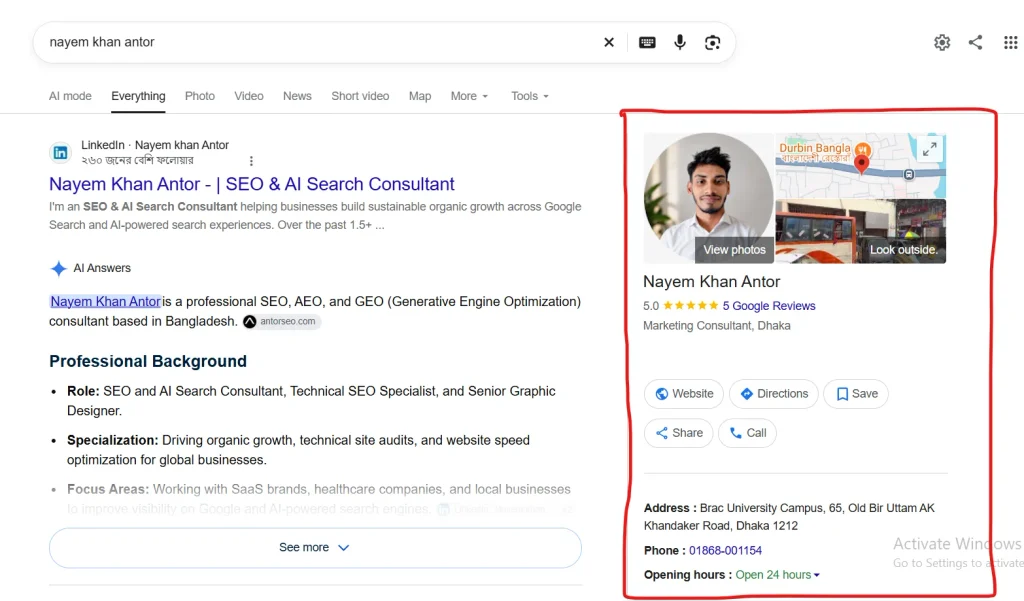
A Google Business Profile (GBP) is the free listing that shows your business in Google Search and Google Maps. It shows your name, address or service area, hours, photos, reviews, a website link, and buttons to call or get directions.
You may still see people call it GMB or Google My Business. Google renamed the product in 2021, and most management now happens directly inside Search and Maps. The tool is the same in spirit, so older GMB advice still applies where it matches current guidelines.
GBP is the backbone of local SEO. Your website helps you rank in organic results, and your profile helps you appear in the map pack and local panels. You need both.
How Google Ranks Your Business Profile
Google explains the system in its own help center. Local results are mainly based on three factors:
- Relevance: how well your profile matches what someone typed. Complete and detailed business info helps Google match you to relevant searches.
- Distance: how far you are from the searcher, or from the location named in the query.
- Prominence: how well known your business is. Links from other websites and the number of reviews feed into this, and more reviews with positive ratings can help your local ranking.
You can’t move your building, so distance is out of your hands. You can improve relevance by completing your profile, and prominence by earning reviews and mentions. Read Google’s own breakdown in its local ranking tips.
Prominence also reaches beyond the profile itself. Quality link building and local press mentions all strengthen how well-known your business looks.
Step 1: Claim and Verify Your Profile
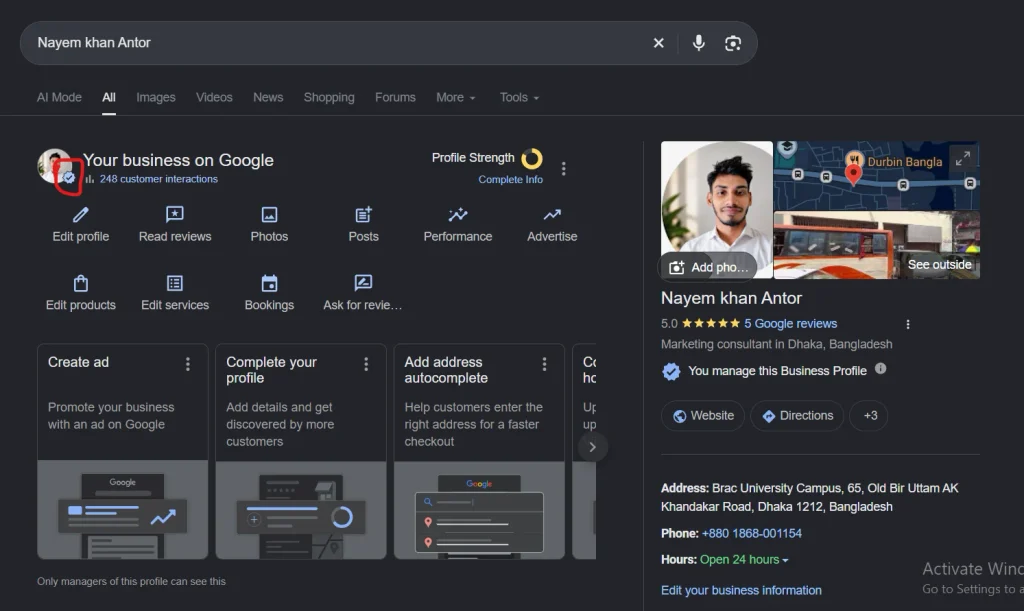
Search for your business name on Google. If a listing already exists, claim it instead of creating a duplicate. If none exists, create one.
Verification matters more than most owners realize. For photos and videos to appear on your profile, your business must be verified. Unverified profiles are limited in what they can show.
google
Two ownership habits save headaches later:
- Keep owner-level access under an account the business controls, even if an agency or freelancer manages the profile day to day.
- Review who has access whenever staff or vendors change.
Storefront or Service-Area Business?
Decide which type you are before filling in anything else.
- Storefront: customers visit you at a staffed address with signage. Show your address.
- Service-area business (SAB): you travel to customers, like electricians, cleaners, or mobile groomers. Google says if you don’t serve customers at your address, you can hide it and list your service area instead.
- Hybrid: you have a storefront and also travel. Show the address and add your service areas to the same profile.
Google’s guidelines also advise that a service area shouldn’t stretch farther than about two hours of driving time from where you’re based. Name real cities, suburbs, ZIP codes, or postcodes, and keep the list honest.
Step 2: Get Your Core Business Information Right
Most ranking and conversion problems start here.
Business Name
Use your name exactly as it appears on your signage, stationery, and branding. Google states that unnecessary information in a business name isn’t permitted and could lead to suspension.
- Wrong: “Joe’s Plumbing | Best Emergency Plumber Austin”
- Right: “Joe’s Plumbing”
Put services and locations in the categories, services, and description fields instead.
Primary and Secondary Categories
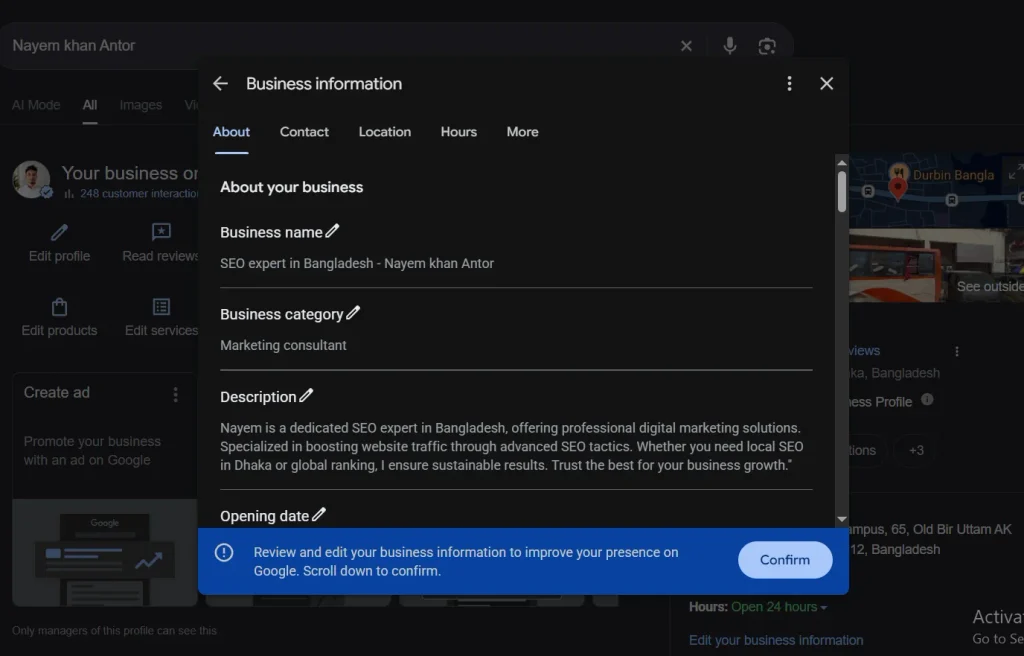
Your primary category is the strongest signal you send about what you do. Be precise: “Italian restaurant” beats “Restaurant,” and “Personal injury attorney” beats “Law firm.”
Add secondary categories only when they describe real offerings. A bakery that also serves espresso can add “Coffee shop.” A bakery should not add “Wedding venue” just to catch extra searches.
A quick way to choose: search your top three competitors and see which categories they use. Tools that show a profile’s categories make this easy. Then compare against your own services and keep the honest overlap.
Phone, Website, and Appointment Links
Use a local phone number that you answer. Link to the most useful page for the visit: your homepage for a single-location business, or a dedicated location page for multi-location brands.
Add tracking parameters to your website link so you can see profile traffic in Google Analytics 4. If you take bookings, add your appointment or ordering links too.
Hours, Including Holidays
Wrong hours cost you customers and reviews. Set regular hours, then add special hours for public holidays and local events ahead of time. This matters in all markets: Thanksgiving in the US, bank holidays in the UK, Boxing Day and Australia Day in Australia.
Business Description
You get 750 characters, and the field can’t include links. Google says the description shows in the “From the business” section of your profile.
google
A simple structure works well:
- What you do and who you serve
- Where you operate
- What makes you different
- A fact customers care about, such as years in business or accreditations
Use your main service naturally once or twice. Skip promotions and prices, since the text can take time to update. A good description starts from the same research you’d do for any page, so use proper keyword research to learn how locals describe your service.
Step 3: Add Services, Products, and Attributes
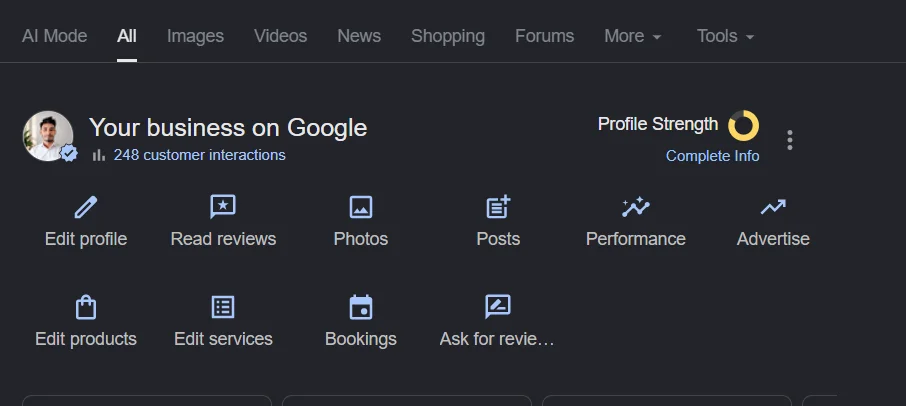
Many profiles stop after the basics. The fields below are often where competitors fall behind.
- Services: list each service you offer with a short description. Be specific, such as “Boiler repair” and “Drain unblocking” instead of “Plumbing.”
- Products: retail and food businesses can add items with photos and prices.
- Attributes: add every honest tag Google offers for your category, like “Wheelchair accessible entrance,” “Online appointments,” or “Women-owned.”
Only list what you actually provide. Inaccurate details lead to bad customer experiences and can trigger edits by Google or users.
Step 4: Upload Photos and Videos That Prove Your Business Is Real
Photos build trust faster than any paragraph. Google’s own requirements are straightforward:
- JPG or PNG format, between 10 KB and 5 MB
- A recommended size of 720 by 720 pixels, with 250 by 250 as the minimum
- Photos should be in focus and well lit, with no heavy filters or excessive AI use, because the image should represent reality
Read the full list in Google’s photo guidelines.
Cover these categories:
- Logo and cover image
- Exterior from the direction customers approach
- Interior and any key areas such as the counter, waiting room, or showroom
- Team members at work
- Finished jobs, products, or menu items
Add new photos regularly, and upload real ones taken on-site. Stock images add nothing to your credibility.
Step 5: Build a Review System
Reviews influence your ranking and decide whether a searcher clicks you or the next result. They also feed your reputation signals, which tie closely to E-E-A-T across the web.
How to Get More Reviews the Right Way
Google lets you ask customers to leave reviews through a link or QR code. Practical ways to make it routine:
- Ask right after a positive moment, such as a finished job or a paid invoice.
- Send the Google review link by text or email.
- Print the QR code on receipts, packaging, or counter cards.
- Ask every customer, not only the happy ones.
The rule you cannot bend: Google considers offering incentives such as free or discounted goods or services for posting, changing, or removing reviews to be fake and misleading content, which is strictly prohibited. Selective asking (review gating) also breaks policy. See Google’s page on getting more reviews.
How to Respond to Reviews
Reply to every review, positive or negative, within a day or two.
- Positive reviews: thank the customer by name and mention something specific.
- Negative reviews: acknowledge the problem, stay calm, and offer to fix it offline. Never argue in public.
Google’s guidance says replies should be conversational rather than promotional, so avoid using them to offer deals or promotions.
Regulated industries need extra care. Medical practices, for example, must avoid confirming patient details in a reply. If that’s your field, see how this works in healthcare SEO.
Step 6: Use Posts and Updates
Posts let you share offers, events, and news right on your profile. They won’t transform your rankings alone, but they keep the profile fresh and give searchers a reason to act.
Good post ideas:
- A seasonal offer with a clear end date
- A new service or product
- A recent project with a photo
- An event or workshop
Keep each post short, add a real photo, and include a button such as Call, Book, or Learn more. Check which post types your category supports, since options vary.
Step 7: Connect Your Website to Your Profile
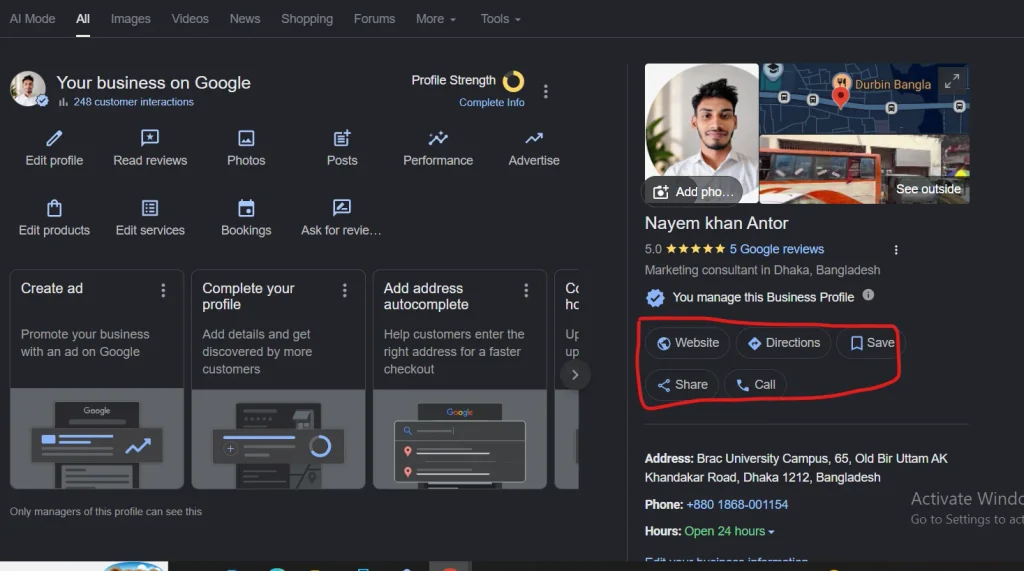
Your profile and website work as a pair. Google compares the two to confirm what you do and where you do it.
- Match your details. Name, address, phone number, and hours should read the same on both.
- Build strong local pages. Create a page for each location or major service area with unique content, not copy-pasted text with the city name swapped. Follow an on-page SEO checklist and write a clear title tag for each.
- Add structured data. Mark up your business details with Local Business schema markup so machines can read them cleanly.
- Link pages together. Good internal linking helps people and crawlers move from a location page to specific services.
- Keep pages fast. Most local searches happen on phones, so pass Core Web Vitals on your landing pages.
Google Business Profile and AI Search
Search is changing, and your profile sits in the middle of it.
Google retired the public Q&A section in late 2025. In its place, Google has been rolling out Ask Maps, a Gemini-powered feature that answers questions about a place in real time using information such as profile details, reviews, photos, and website content. Rollout has been staged by country, so what your customers see may differ by market.
You can’t write those answers yourself, but you can control the raw material:
- Keep every profile field complete and accurate.
- Publish a clear FAQ page on your website that answers real customer questions.
- List services, prices where possible, and service areas in plain language.
- Encourage detailed reviews that mention specific services.
The same discipline helps outside Maps. Learn more about optimizing for Google AI Overviews, the broader practice of generative engine optimization, and how this plays out for local businesses in AI Overviews.
How to Measure Your Results
Open your profile’s performance data and track a few numbers monthly:
- Searches that showed your profile
- Calls and direction requests
- Website clicks
- Bookings or messages, if you use them
Pair that with Google Analytics 4 for website behavior and your own sales records. The goal is customers, not impressions. If calls rise after you add services and fresh photos, you know what to repeat.
Common Google Business Profile Mistakes
- Stuffing keywords into the business name
- Choosing too many unrelated categories
- Leaving holiday hours unchecked
- Creating duplicate listings for the same location
- Buying reviews or offering rewards
- Ignoring negative reviews
- Using a virtual office or mailbox as a storefront address
- Letting an agency own the profile
Your Monthly GBP Checklist
- Confirm hours, phone number, and website link
- Reply to all new reviews
- Add at least a few new photos
- Publish one post or offer
- Review your services and categories for changes
- Check performance numbers and note what moved
Frequently Asked Questions
-
What is a Google Business Profile?
A Google Business Profile is a free listing that shows your business details, reviews, photos, and contact options in Google Search and Maps. Verified owners manage it to help local customers find and contact them.
-
Is Google My Business the same as Google Business Profile?
Yes. Google renamed Google My Business to Google Business Profile in 2021. People still say GMB, but the product and the guidelines are now under the Google Business Profile name.
-
How do I optimize my Google Business Profile?
Verify your profile, use your real business name, choose the most specific primary category, fill in every field, add real photos, collect reviews without incentives, reply to feedback, and keep your hours accurate.
-
How long does it take to rank in the map pack?
There is no fixed timeline. New profiles can appear quickly for low-competition searches, while competitive areas take months of steady review growth, content, and mentions. Google also states you cannot pay for a better local ranking.
-
Can I rank without a physical storefront?
Yes. Service-area businesses can have a profile, hide their address, and list the cities or postcodes they serve. Distance still affects rankings, so expect to rank best near your base.
Summary
A strong Google Business Profile is not a one-time setup. Verify it, keep your name and details honest, pick precise categories, show real photos, earn reviews the right way, and tie it all to a fast, well-built website. Google’s AI features now draw on that same information, so the work pays off in both classic local results and newer answer-style search.
If you want a second pair of eyes on your profile, contact me for a local SEO review or browse recent case studies to see how this approach works in practice.