
Key Takeaways
- A meta description is the short page summary in your HTML that Google may show under your title in search results.
- Google mainly builds snippets from page content. It uses your meta description when it describes the page more accurately.
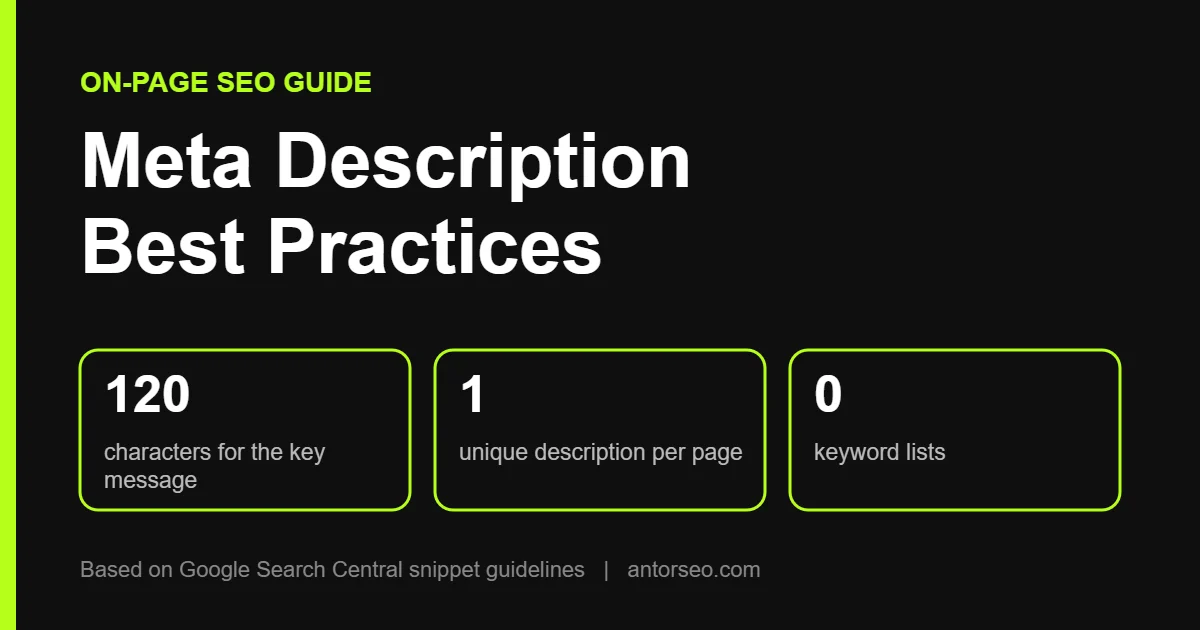
- Google sets no length limit, but long descriptions are cut to fit the screen. Put the key message in the first 120 characters.
- Write a unique description for each important page, summarize the whole page, and include useful details like price, date or location.
- Meta descriptions do not change rankings directly, but a clear one can earn more clicks from the same position.
A meta description is often the first piece of your page a searcher reads. It sits under the title in Google’s results and helps people decide whether to click. Yet many sites leave it empty, copy the same text across pages, or stuff it with keywords.
This guide covers meta description best practices based on Google’s own documentation, how long a description should be, why Google sometimes rewrites it, and real examples of weak and strong descriptions.
What Is a Meta Description?
A meta description is an HTML tag in the head section of a page. It looks like this:
<meta name="description" content="A short, accurate summary of what this page offers.">Visitors do not see it on the page itself. Search engines and social platforms read it as a summary. In Google, it can appear as the snippet, the gray text under the blue title link.
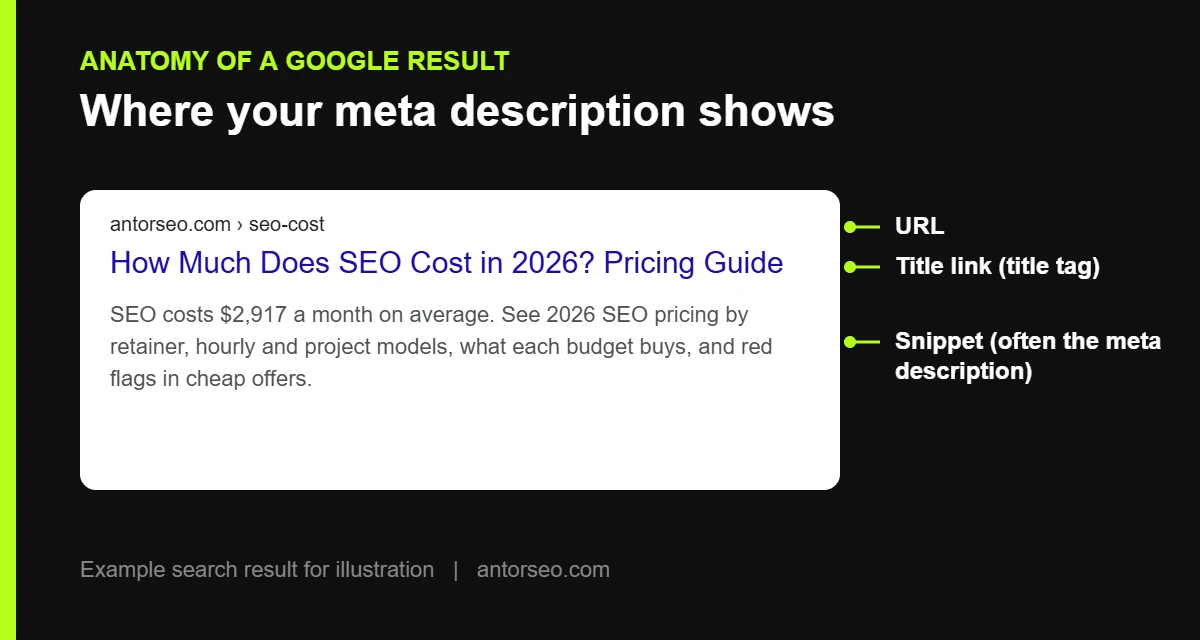
The meta description works together with your title tag. The title earns attention, and the description confirms the page is the right answer. Read our guide to title tag SEO to write both as a pair.
How Google Uses Meta Descriptions
According to Google’s documentation on controlling snippets, Google creates snippets mainly from the content on the page. It picks text that matches each search, so one page can show different snippets for different queries. Google uses the meta description instead when it gives searchers a more accurate picture of the page.
In practice, Google often writes its own snippet. An Ahrefs study of 20,000 keywords found Google rewrote the meta description 62.78% of the time. A separate Portent study put the rate at about 71% on mobile and 68% on desktop. Both studies are from 2020, so treat the numbers as a guide, not a current measurement.
That does not make meta descriptions useless. Your page ranks for many queries, and for the main query the description was written for, Ahrefs found Google is slightly more likely to use it. A good description also gives Google a clean summary to fall back on.
Are Meta Descriptions a Ranking Factor?
No. Google’s documentation describes the meta description as a possible source for the search snippet, not as a ranking signal. Its value is in clicks. A clear, specific description can earn more clicks from the same ranking position, which means more traffic without ranking higher.
How Long Should a Meta Description Be?
Google states there is no length limit for meta descriptions. Snippets are cut as needed, usually to fit the width of the device. Because the cut depends on pixels, not characters, no exact number is guaranteed.
The 2020 Portent study found Google showed roughly 160 characters on desktop and about 120 on mobile. A practical rule follows from that:
- Put the core message in the first 120 characters, so it survives on mobile.
- Aim for roughly 140 to 155 characters in total.
- Do not worry if a longer description gets cut, as long as the important part comes first. Ahrefs found that long descriptions were rewritten at nearly the same rate as shorter ones.
Meta Description Best Practices
1. Write a Unique Description for Every Important Page
Google recommends a unique description for each page. Identical descriptions across pages tell searchers nothing about the difference between them. If you cannot write one for every page, Google suggests starting with your home page and most popular pages.
2. Summarize the Whole Page
A description should tell people what they will get from the page. Skip vague openings and get straight to the answer, the offer or the main point.
3. Include Useful, Specific Details
Google suggests adding facts that help people decide, such as the author, date, price, product attributes, opening hours or location. Specific details stand out next to generic competitors.
4. Use the Main Keyword Naturally
Google often bolds words in the snippet that match the search. Using your main keyword once, in a natural sentence, helps the description look relevant. Never write a list of keywords. Google gives that exact pattern as an example of a weak description. Our keyword research guide helps you pick the right main phrase.
5. Lead With Value, Not Filler
Generic phrases like “click here” or “learn more” use space without telling the reader anything. A concrete benefit, number or detail does more work in the same characters.
6. Match the Page Content
A description that promises something the page does not deliver hurts trust and invites Google to replace it. Make sure the description reflects what is actually on the page.
7. Generate Descriptions Carefully on Large Sites
For stores and databases with thousands of pages, Google says descriptions can be generated automatically from page data, as long as they are readable and varied. A product template that pulls in the name, a key feature and the price works far better than one sentence repeated everywhere. See our ecommerce SEO page for more on product pages.
Meta Description Examples: Weak vs Strong
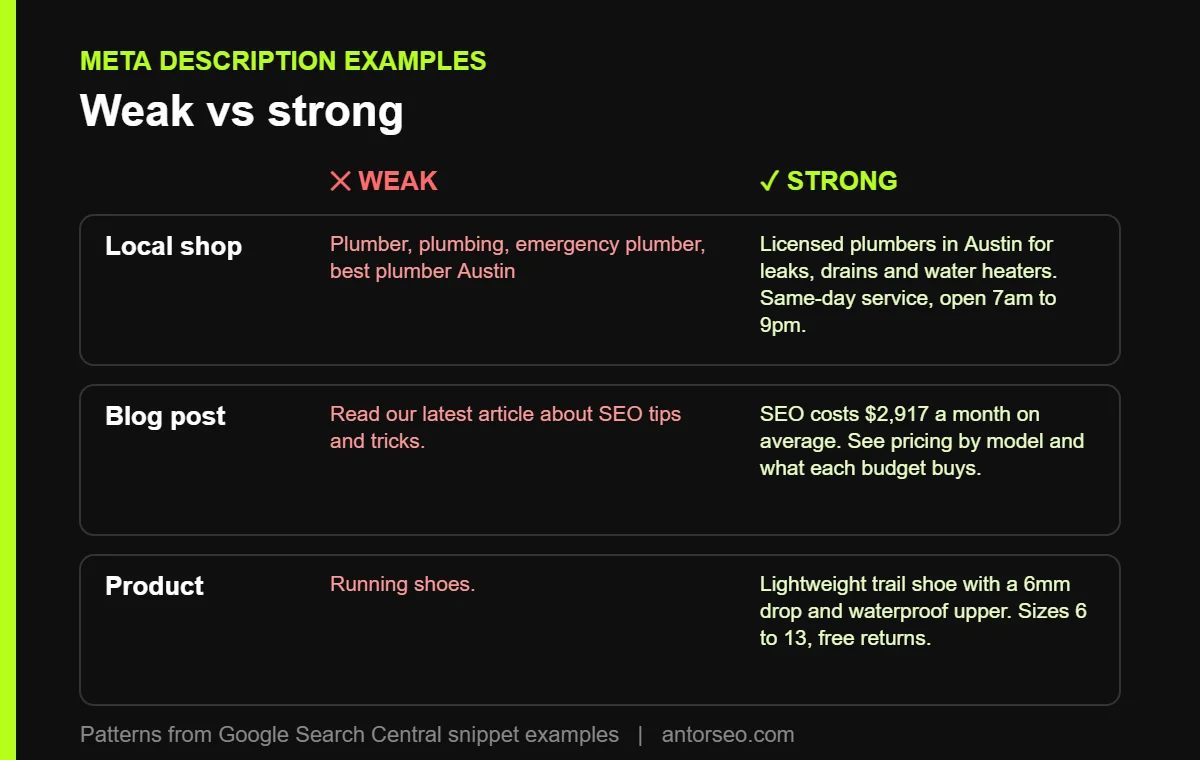
Google’s documentation compares weak and strong descriptions. These examples follow the same patterns.
| Page type | Weak | Strong |
|---|---|---|
| Local business | Plumber, plumbing, emergency plumber, best plumber Austin | Licensed plumbers in Austin for leaks, drains and water heaters. Same-day service, open 7am to 9pm every day. |
| Blog post | Read our latest article about SEO tips and tricks. | SEO costs $2,917 a month on average. See pricing by retainer, hourly and project models, and what each budget buys. |
| Product page | Running shoes. | Lightweight trail running shoe with a 6mm drop and waterproof upper. Sizes 6 to 13, free returns within 30 days. |
| Service page | We offer the best services for all your needs. | Technical SEO audits for SaaS and ecommerce sites. Crawl, indexing and speed issues ranked by impact on revenue. |
The strong examples each answer three questions fast: what this is, who it is for, and what makes it worth the click.
How to Add a Meta Description in WordPress
WordPress does not have a meta description field by default. An SEO plugin adds one.
- Rank Math: open the post editor, click the Rank Math icon, choose Edit Snippet, and fill in the Description field.
- Yoast SEO: scroll to the Yoast box under the editor and fill in the Meta description field in the search appearance section.
- Check the preview both plugins show, and make sure the main message appears before the cut.
For other on-page settings in WordPress, see our WordPress SEO page.
How to Find Missing or Duplicate Meta Descriptions
The Ahrefs study found that 25.02% of top-ranking pages had no meta description at all. On your own site, a crawler such as Screaming Frog lists every page with a missing, duplicate or overly long description. Fix the pages with the most impressions first. You can find those in the Performance report in Google Search Console, sorted by impressions, where a low click-through rate often points to a weak title or description.
Meta descriptions are one item on a longer list. Our on-page SEO checklist covers the rest, and our on-page SEO guide explains each element in depth.
Meta Descriptions and AI Search
Google’s documentation on AI features does not list the meta description as a factor for AI Overviews or AI Mode. Those features pull from the content of the page itself. The best way to appear there is strong page content, as covered in our guide to Google AI Mode SEO. A meta description still matters for classic results, which sit right under the AI answers.
Frequently Asked Questions
What is the ideal meta description length?
Google sets no limit, but snippets are cut to fit the screen. Keep the main message in the first 120 characters and aim for about 140 to 155 in total.
Why does Google show a different description from mine?
Google picks the text that best matches each search. If your page content answers a query more directly than your description, Google may show that text instead.
Should every page have a meta description?
Every important page should. Google recommends unique descriptions and suggests starting with the home page and most popular pages if you cannot cover them all.
Can I stop Google from showing a snippet?
Yes. The nosnippet rule hides the snippet, max-snippet limits its length, and data-nosnippet hides specific parts of a page. Use them carefully, since they also limit how your page appears.
Do meta descriptions affect rankings?
Not directly. They influence whether people click your result, which affects traffic from the position you already hold.
Want to know which of your pages have weak or missing meta descriptions? Our free SEO audit flags them along with other on-page issues.