What Is On-Page SEO?
On-page SEO is the practice of improving the content and elements within a webpage so that search engines can understand its topic and users can find, read and act on the information more easily. It includes the visible content on a page as well as elements such as the title tag, headings, URL, internal links, images and structured data.
Unlike off-page SEO, which involves activities outside your website, on-page SEO is largely under your direct control. You can improve a page’s clarity, usefulness, structure and accessibility without waiting for another website to link to you. Google’s SEO guidance describes SEO as helping search engines understand content and helping users discover a site through search. (Google’s SEO Starter Guide)
On-page SEO is not the practice of placing the same keyword in every sentence. Modern search engines understand topics, relationships and user intent. The goal is to create the clearest and most useful page for the query—not the page with the highest number of repeated phrases.
Why is on-page SEO important?

On-page SEO helps search engines connect a page with relevant searches. A descriptive title tells users what to expect, headings reveal the structure of the answer, useful content satisfies the search intent, and internal links help visitors and crawlers discover related pages.
Good on-page SEO also improves the experience after someone clicks. A page that loads reliably, uses readable formatting, answers the main question early and offers logical next steps is more likely to earn attention than a page designed only to attract an impression.
Google’s current guidance emphasizes helpful, reliable, people-first content rather than content created primarily to manipulate rankings. It encourages creators to provide original value, demonstrate appropriate expertise, use trustworthy sourcing and ensure that readers leave with a satisfying answer. (Google’s helpful content guidance)
On-page SEO vs. off-page SEO vs. technical SEO
These areas overlap, but the distinction is useful when planning work.
| SEO area | Main focus | Examples |
|---|---|---|
| On-page SEO | Improving elements on an individual page | Content, title, headings, URL, internal links, images and schema |
| Technical SEO | Improving the technical foundation of a website | Crawlability, indexability, performance, mobile usability, sitemaps and canonicalization |
| Off-page SEO | Building reputation beyond your website | Relevant mentions, digital PR, editorial links and community visibility |
A strong strategy usually needs all three. On-page SEO is often the best starting point because it improves the page you can directly edit and ensures that promotion points to a useful destination.
The most important on-page SEO factors
1. Match the page to search intent
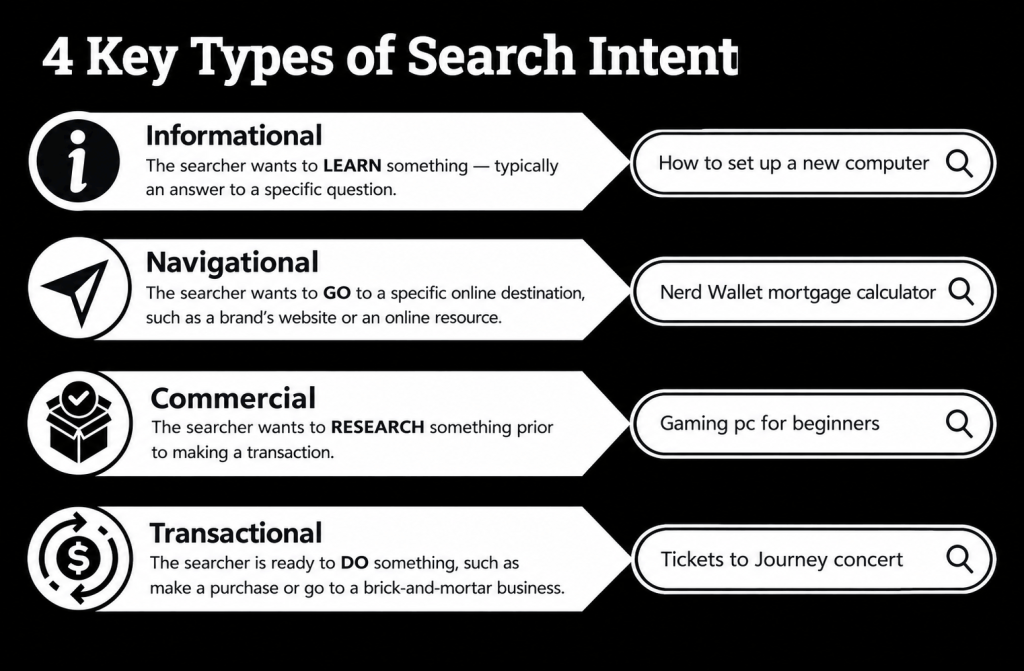
Search intent is the underlying goal behind a query. A person searching “what is on-page SEO” wants a clear explanation. A person searching “on-page SEO checklist” wants a practical list. A person searching “on-page SEO agency” may be comparing providers.
Before writing, inspect the current search results and ask what type of content repeatedly appears: a guide, product page, category page, comparison, tool, video or local result. Then create a page that satisfies that intent more completely and clearly without copying the wording of existing results.
Search intent should influence the page format, depth, examples and call to action. Do not force a commercial landing page to rank for a purely educational query, or answer a transactional query with a generic definition that does not help the user take the next step.
2. Choose one primary topic and related subtopics
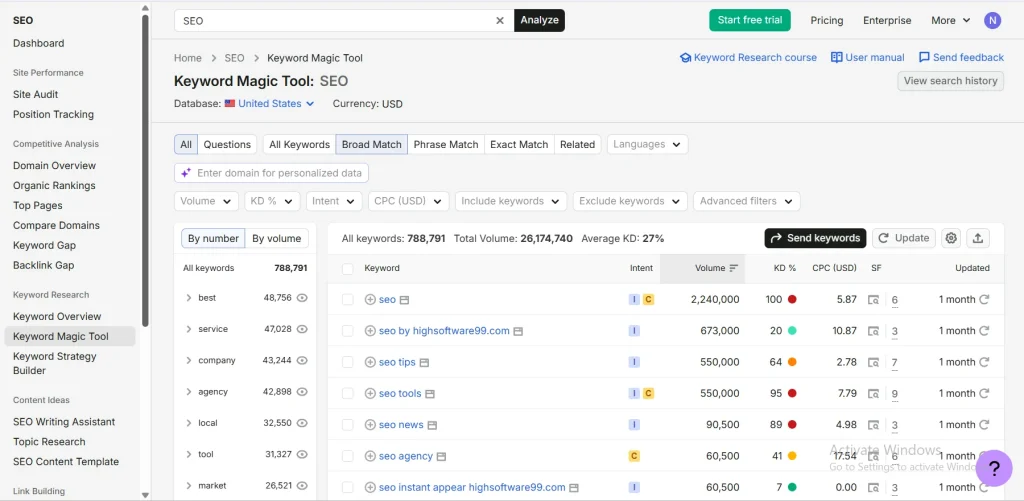
Start with one central topic for each page. For this article, the central topic is on-page SEO. Supporting concepts include title tags, headings, URLs, meta descriptions, content optimization, internal linking, images, structured data and measurement.
Related terms should be included because they make the explanation more complete, not because an SEO tool says a phrase must appear a specific number of times. A focused topic prevents keyword cannibalization and gives readers a clear reason to visit the page.
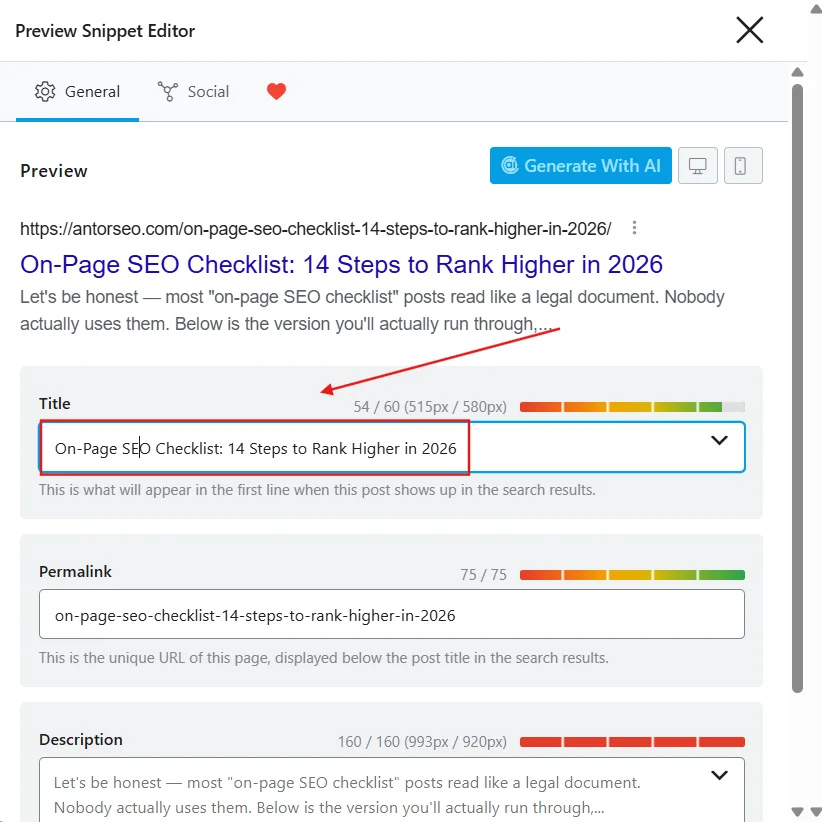
3. Write a clear, accurate title tag
The title tag is the HTML []{.underline} element. It can influence the title link shown in search results and appears in the browser tab. A strong title is unique, descriptive and concise enough to communicate the page’s value without unnecessary repetition.</p>
Google may generate title links from multiple sources, including the title element, visible page title and headings. It advises site owners to avoid vague titles, keyword stuffing and repeated boilerplate text. (Google’s title link guidelines)
For this page, a suitable title is:
On-Page SEO: The Complete Guide and Practical Checklist
The primary keyword appears naturally, the subject is clear, and the phrase “practical checklist” signals a useful outcome. There is no universal character limit that guarantees a perfect display; search result titles can be truncated depending on the device and context.
4. Use one clear H1 and a logical heading hierarchy
The H1 should communicate the page’s main topic. Use H2 headings for major sections and H3 headings for supporting points. Headings improve scanability and help readers understand where to find a specific answer.
Avoid turning headings into a list of awkward keyword variations. “How to Optimize Title Tags” is useful; “Best Title Tag SEO On-Page SEO Title Keyword Optimization” is not. The heading should sound like a helpful section label written for a person.
5. Optimize the introduction
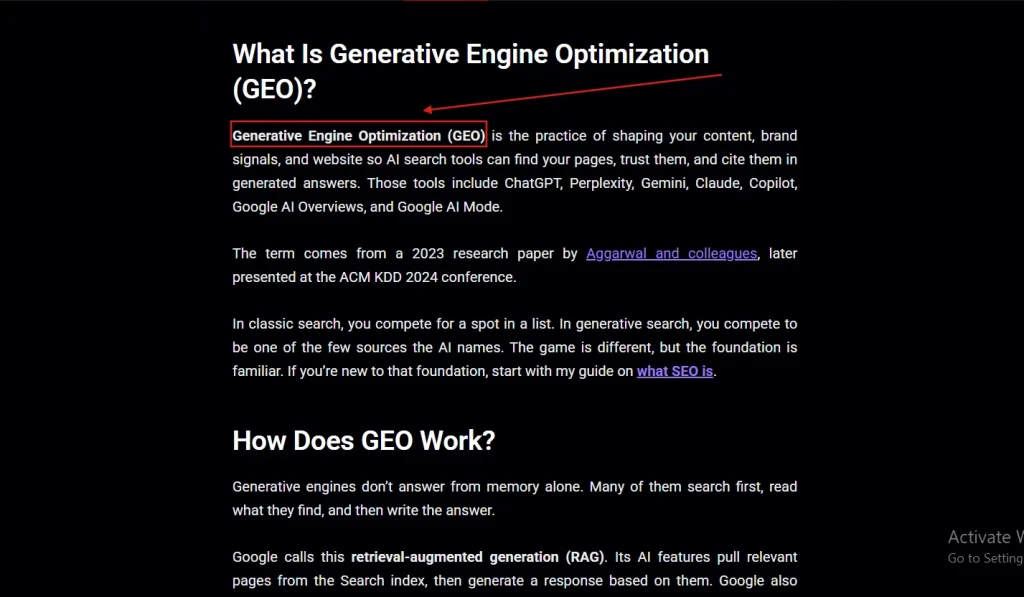
The opening paragraph should confirm that the reader is in the right place. Define the topic, state what the guide covers and answer the main question early. Do not make users scroll through a long story before learning what on-page SEO means.
The primary keyword or a natural close variation can appear in the introduction, but the paragraph should remain conversational and informative. A strong introduction improves clarity even when a visitor reaches the page from social media, a link or an AI-assisted search experience rather than a traditional search result.
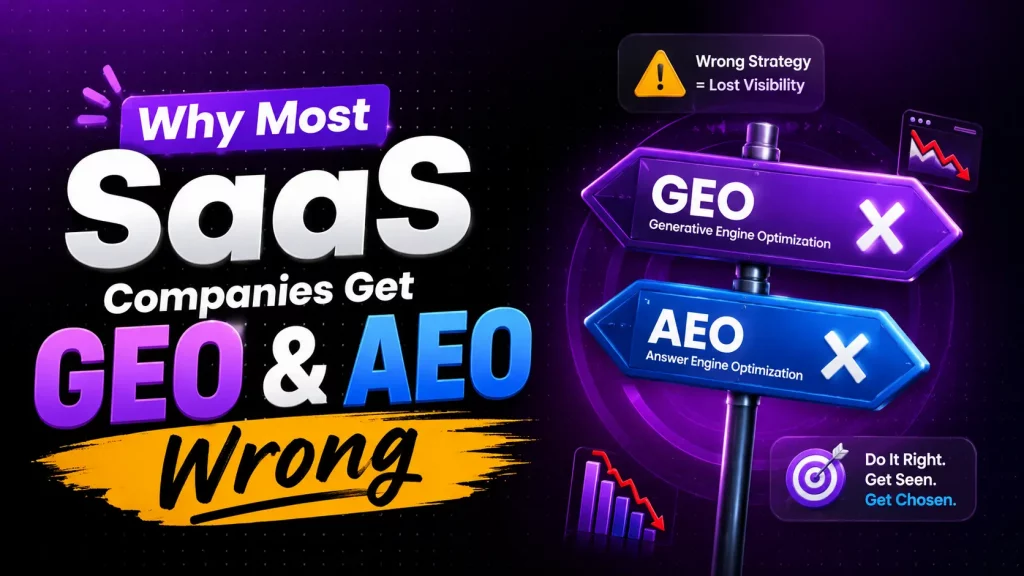
This matters even more as more discovery happens through AI answer engines — see why most SaaS companies get GEO and AEO wrong for how this shifts on-page priorities.
6. Create genuinely useful, complete content
Content is the central part of on-page SEO. A page should provide original explanation, relevant examples, accurate claims and enough detail to help the reader complete the task behind the query.
Completeness does not mean making every article extremely long. Google does not recommend writing to a specific word count. A short page can be excellent when the topic is narrow, while a broad guide requires more context. The right length is the amount of content needed to satisfy the reader without repetition.
Use first-hand experience where appropriate. If you describe a process, explain how it works in practice. If you recommend tools, state what each tool helps with and acknowledge limitations. Add screenshots, examples or original observations when they genuinely improve understanding.
7. Write a compelling meta description
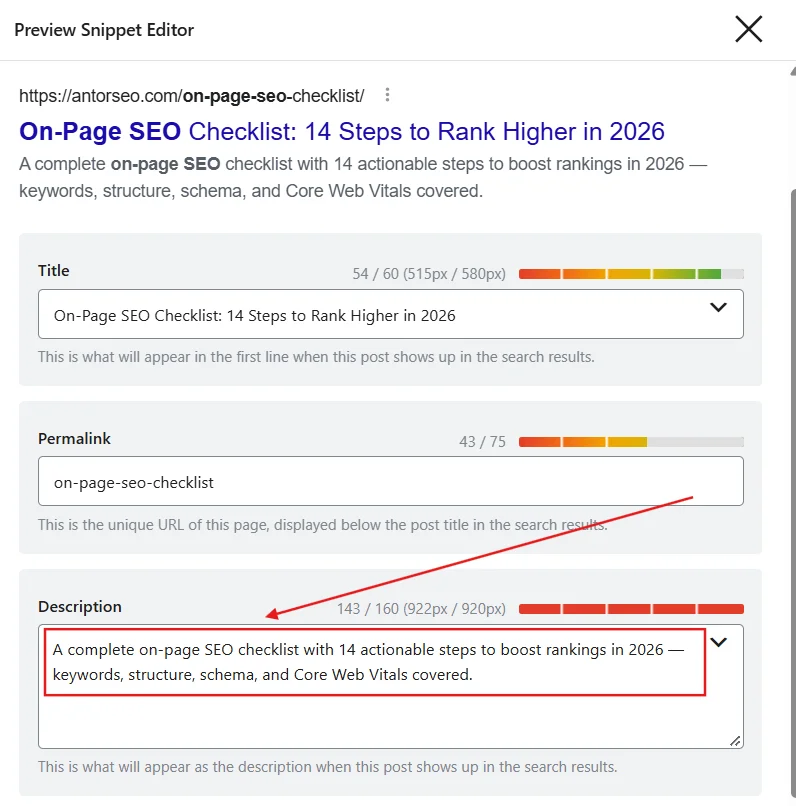
A meta description is a short HTML summary of a page. Google may use it to generate the search snippet, although it may also select text from the page that better matches the user’s query. Google’s Search Essentials recommend creating useful content and descriptive page elements; no meta description can guarantee a particular snippet. (Google’s Search Essentials)
A practical meta description should summarize the page, match the search intent and give users a reason to click. For this guide:
Learn how to optimize titles, headings, content, URLs, images and internal links with this complete on-page SEO checklist.
Avoid writing a list of disconnected keywords. Describe the actual benefit and ensure the promise matches what the page delivers.
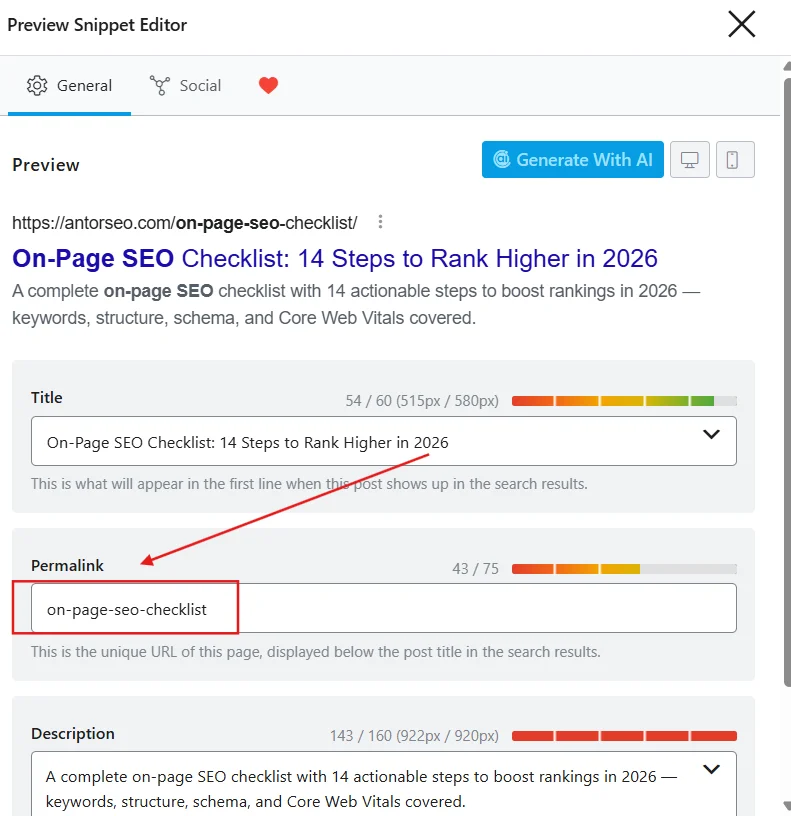
8. Use short, readable URLs
A URL should make the page topic understandable to users and search engines. Use lowercase words separated by hyphens and remove unnecessary dates, numbers and tracking parameters from the canonical URL.
A good example is:
[example.com/on-page-seo-guide]{.underline}
A confusing example is:
[example.com/blog/2026/03/18/post?id=8472&topic=seo]{.underline}
A descriptive keyword in a URL can provide context, but changing a URL is not automatically beneficial. If a page already has links and search visibility, plan redirects and canonical changes carefully before modifying it.
9. Add relevant internal links
Internal links connect pages within the same website. They help visitors discover related information and help search engines understand how pages are organized. Google recommends crawlable links with descriptive anchor text and suggests linking important pages from other relevant pages on the site. (Google’s crawlable links guide)
Link naturally from context. For example, the anchor text “technical SEO audit checklist” tells a reader more than “click here.” Do not insert a link simply to repeat a keyword, and do not create a chain of unrelated links that interrupts the reading experience.
A useful internal-linking model is to connect a broad topic hub to focused supporting pages. An on-page SEO guide might link to separate pages about keyword research, image SEO, title tags, technical SEO and content briefs.
10. Link to trustworthy external sources
External links can give readers evidence, definitions and further context. Cite primary or authoritative sources when making factual claims, particularly for technical, legal, medical, financial or safety-related subjects.
The purpose of an external link is usefulness and transparency—not to exchange links or manipulate authority. Review important external links periodically because broken or outdated destinations can create a poor user experience.
11. Optimize images for users and search
Images can explain concepts, demonstrate products and improve comprehension. Use an appropriate file format and size, descriptive filenames and meaningful alt text. Alt text primarily supports accessibility for people who cannot see the image, and it also helps search systems understand the image’s subject. (Google’s SEO documentation)
Good alt text describes the image in context. For a screenshot of a page audit, “On-page SEO audit showing missing title tags” is more useful than “SEO image.” Do not use alt text as a place to insert a long list of keywords. Decorative images may need empty alt text so screen readers can skip them.
12. Improve page experience and performance
A page should be easy to read and use on different devices. Pay attention to mobile layout, font size, contrast, intrusive pop-ups, navigation, layout stability and loading performance. Technical improvements matter most when they remove a real obstacle for users or crawlers.
Do not treat one tool score as the entire definition of SEO quality. Review the page as a visitor: Can the main content be found immediately? Is the page stable while loading? Can users navigate to the next relevant resource? Can people with assistive technologies understand the structure?
13. Use structured data when it fits the page
Structured data is machine-readable markup that describes page content. Depending on the page type, it can help Google understand information such as articles, products, breadcrumbs, events, organizations, recipes or reviews.
Only mark up content that is actually visible and accurate on the page. Structured data does not guarantee a rich result, and adding irrelevant or misleading markup can create policy problems. Use Google’s documentation and Rich Results Test to validate implementation.
14. Make the page accessible and easy to scan
Accessibility and readability are part of quality. Use descriptive link text, meaningful headings, sufficient contrast, captions or transcripts where needed, and short paragraphs. Break complex processes into steps, tables or examples when that makes the information easier to use.
A page that is easy to scan is not automatically shallow. It can provide depth while allowing a reader to find the exact answer they need. This is especially important for long guides viewed on mobile devices.
How to do on-page SEO: a step-by-step workflow
Step 1: Define the audience and page goal
Identify who the page serves and what the visitor should learn or do. A page without a clear audience often becomes a collection of loosely related keywords.
Step 2: Research the query and intent
Collect the main query, close variations, questions, related entities and the content formats appearing in the target market. Compare countries separately if the website serves multiple regions.
Step 3: Build a useful outline
Organize the outline around the user’s questions. Put the direct answer near the beginning, then cover supporting details, examples, implementation steps, mistakes, tools and FAQs where relevant.
Step 4: Draft for humans first
Write a clear first version without worrying about inserting every keyword. Make the explanation accurate, original and complete. Add examples that demonstrate how the advice works.
Step 5: Optimize page elements
Create a unique title, H1, meta description and readable URL. Review headings, internal links, image filenames, alt text and structured data. Ensure that the primary topic is obvious without making the copy repetitive.
Step 6: Check technical access
Confirm that the page is not accidentally blocked by robots.txt or a noindex directive, that important links use crawlable HTML, and that the page works on mobile and desktop.
Step 7: Publish, measure and improve
Use Google Search Console to monitor impressions, clicks, CTR, average position and queries. If a page receives impressions but few clicks, review the title and snippet. If it ranks for unexpected related queries, consider whether a new section or supporting page would better serve that intent.
On-page SEO checklist
| Check | What to verify |
|---|---|
| Search intent | The page matches the goal and format behind the target query. |
| Primary topic | One clear topic is assigned to the page. |
| Title tag | The title is unique, descriptive, readable and not stuffed with keywords. |
| H1 | The main heading clearly describes the page. |
| Headings | H2 and H3 headings create a logical hierarchy. |
| Introduction | The page answers or frames the main question early. |
| Content | The information is accurate, original, useful and sufficiently complete. |
| Keywords | Primary and related terms appear naturally where relevant. |
| URL | The URL is short, readable and descriptive. |
| Meta description | The summary accurately represents the page and encourages a qualified click. |
| Internal links | Relevant pages are connected with descriptive anchor text. |
| External sources | Important claims are supported by trustworthy references. |
| Images | Files are optimized and images have contextual alt text. |
| Structured data | Markup is accurate, visible and appropriate for the page type. |
| Accessibility | The content is readable and navigable with assistive technology. |
| Mobile experience | The page is usable on small screens. |
| Measurement | Search Console and business outcomes will be reviewed after publication. |
Common on-page SEO mistakes
The most common mistake is confusing optimization with repetition. Keyword stuffing, unnatural anchor text and awkward headings reduce readability and may signal poor quality. Another mistake is creating pages for every slight keyword variation instead of building one strong resource that covers the topic properly.
Avoid copying competitor articles and changing a few words. Study competing pages to understand the questions they answer, then add your own explanation, examples, experience and evidence. Google’s people-first guidance asks whether content provides substantial value beyond simply rewriting other sources. (Google’s people-first content guidance)
Do not rely on meta descriptions, schema markup or image filenames as shortcuts to ranking. These elements support understanding and user experience, but they cannot compensate for an inaccurate or unhelpful page. Finally, avoid promises of guaranteed rankings; Google does not guarantee that pages will be crawled, indexed or served for a query. (Google’s How Search Works guide)
Useful tools for on-page SEO
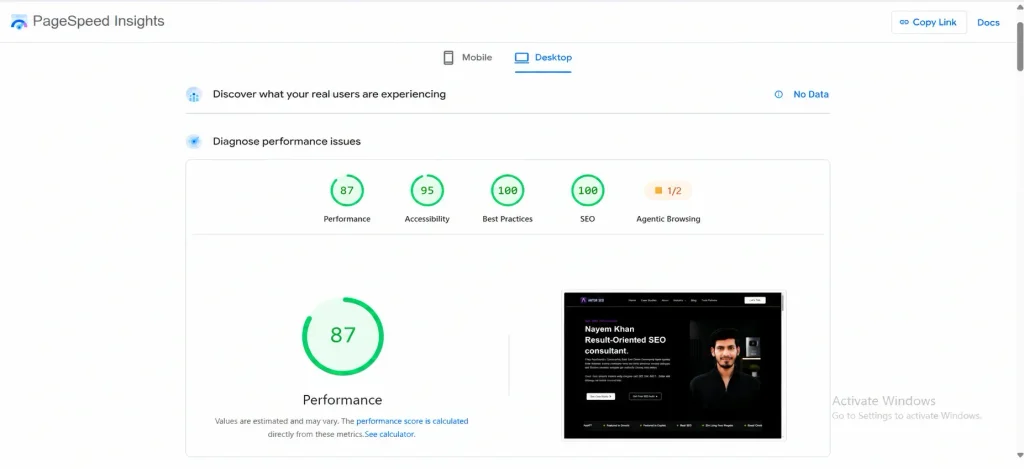
Google Search Console is essential for seeing which queries and pages already receive impressions and clicks. Google Trends helps compare search interest, regional patterns and related queries. Google’s Rich Results Test can validate eligible structured data, while PageSpeed Insights can help investigate performance issues.
Commercial crawlers and SEO platforms can assist with audits, broken links, duplicate titles, missing metadata, internal-link opportunities and content comparisons. Use tools to find issues and prioritize work—not to replace editorial judgment. A perfect tool score is less valuable than a page that genuinely solves the reader’s problem.
Frequently asked questions
-
What is the difference between on-page SEO and technical SEO?
On-page SEO focuses on the content and elements within a page, including titles, headings, URLs, text, images and internal links. Technical SEO focuses on the website foundation that affects crawling, indexing, rendering, performance and usability. The categories overlap, and a successful page often needs both.
-
Is on-page SEO still important?
Yes. Search engines still need to understand what a page is about, and users still need a clear, useful experience. On-page SEO helps align the page’s topic, structure and content with the needs behind relevant queries. It does not guarantee rankings, but it improves the page’s ability to be understood and evaluated.
-
How often should I use a keyword on a page?
There is no universal keyword-density target. Use a keyword when it is natural and useful, then cover the topic with relevant language and concepts. If a sentence sounds forced when read aloud, rewrite it for the reader rather than adding another exact-match phrase.
-
Is the meta description a ranking factor?
A meta description is primarily a page summary and may influence how a search snippet is generated and whether a user chooses to click. Google may use page text instead of the provided description, so write an accurate summary but do not treat it as a guaranteed ranking lever.
-
How long should an SEO article be?
There is no ideal universal word count. The article should be long enough to satisfy the search intent accurately and efficiently. A focused question may need a short answer; a broad guide may need definitions, examples, steps, comparisons and FAQs.
-
Does adding more internal links improve rankings?
More links are not automatically better. Add internal links where they help readers discover relevant information and where the relationship between the pages is clear. Use descriptive, natural anchor text and avoid overcrowding the page.
Final takeaway
On-page SEO is the discipline of making a page clear, useful, accessible and easy for search systems to understand. The strongest process begins with search intent, continues with helpful content and clean page structure, and ends with technical checks and measurement.
Start with the elements you control: understand the audience, choose one focused topic, write the best answer you can, optimize the title and headings, use natural internal links, describe your images, check technical access and improve the page based on real search data. That approach is more durable than chasing keyword density or copying the format of a competitor.
References
Google — SEO Starter Guide
Google — Creating Helpful, Reliable, People-First Content
Google — Title Link Guidelines
Google — Crawlable Links Guide
Google — How Search Works