
Hostinger is one of the cheapest web hosting providers in 2026, and one of the easiest to use. Premium plan pricing starts at $2.99 a month on a 48 month term, and yearly plans include a free domain for the first year.
The low price is only half the story. Renewal prices are higher, there is no phone support, and the cheapest plan has limits.
In this Hostinger review, I cover pricing, speed, uptime, hPanel, email, VPS, Minecraft hosting and support. I checked Hostinger’s official plan pages and compared them with independent tests from Cybernews and TechRadar. Every third-party number links to its source.
Hostinger Review: Quick Verdict
Hostinger is a strong pick for beginners, bloggers, freelancers and small business sites on WordPress. Its VPS plans are good value if you can manage a server yourself.
Skip it if you need phone support, HIPAA-compliant hosting, or a very heavy online store on a shared plan.
| Feature | Details |
|---|---|
| Starting price | $2.99/mo on the 48 month Premium plan |
| Renewal price | $10.99/mo for Premium |
| Free domain | 1 year on yearly plans |
| Money-back guarantee | 30 days |
| Control panel | hPanel |
| Support | 24/7 live chat, no phone line |
| Best for | Beginners, WordPress sites, small businesses |
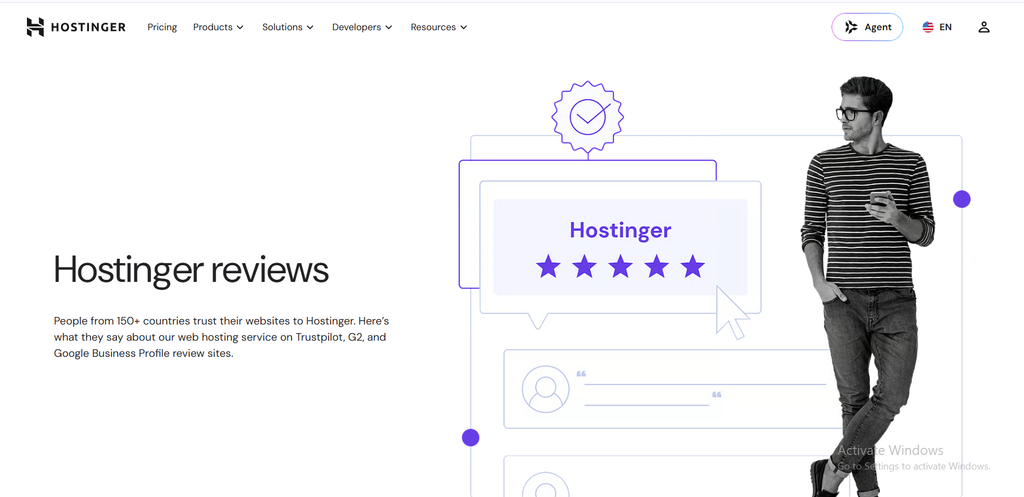
| Category | Score |
|---|---|
| Pricing | 4.5/5 |
| Ease of use | 4.5/5 |
| Speed and uptime | 4.5/5 |
| Security | 4.5/5 |
| Support | 3.5/5 |
What Is Hostinger?
Hostinger is a Lithuania-based hosting company that has grown well beyond shared hosting. Today it describes itself as an AI-first platform for building, running and growing a business online, with hosting, domains, business email, an AI website builder and ecommerce tools in one account.
For most people, that means one login for the website, the domain and the email address. You do not need separate tools for each.
Hostinger Plans and Pricing
Hostinger’s main hosting plans are Premium, Unlimited and Cloud Startup. The intro prices below are for a 48 month term paid upfront, and Hostinger lists them without VAT.
| Plan | Intro price | Renews at | Websites | Storage | Backups |
|---|---|---|---|---|---|
| Premium | $2.99/mo | $10.99/mo | 3 | 20 GB SSD | Weekly |
| Unlimited | $3.99/mo | $16.99/mo | Unlimited | 50 GB NVMe | Daily |
| Cloud Startup | $7.99/mo | $25.99/mo | Unlimited | 100 GB NVMe | Daily and on demand |
Every plan on this list includes a free domain for one year, a CDN, priority 24/7 support and AI tools. Mailboxes are included free for the first year. Premium gets 2 per website, and the higher plans get unlimited mailboxes.
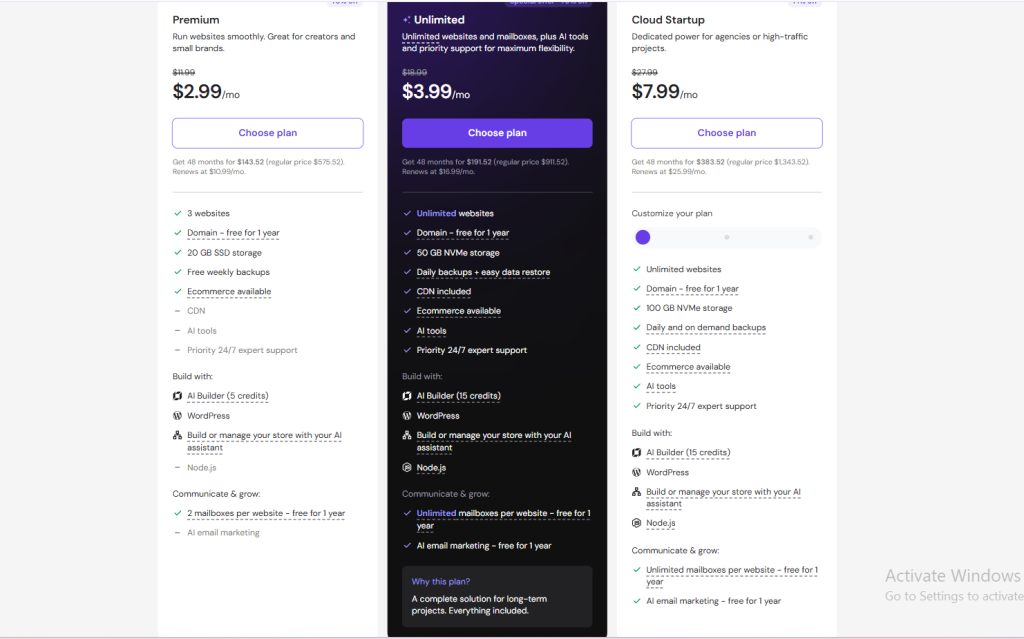
Watch the renewal price. After the intro term, the monthly cost goes up. Premium jumps from $2.99 to $10.99 a month, which is still fair, but you should plan for it. TechRadar also points out that the pricing structure can feel confusing because each subscription length has its own renewal cost.
A longer term gives the biggest discount. Only pick 48 months if you are sure you will still need the same plan in four years. For a deeper breakdown, read my Hostinger pricing explained guide.
Hostinger Coupon Code, Promo Code and Discount
Many people search for a Hostinger coupon code, Hostinger promo code or Hostinger discount code before buying. The plan prices above already include Hostinger’s own discounts, so you often do not need a code to get them.
Codes from random coupon sites can be expired or add nothing on top. Always check the final price at checkout before you pay.
The most reliable way to save more is a referral link. Hostinger’s referral program gives the person who buys through a referral link 20% off
How to use the Hostinger referral discount:
- Open my Hostinger referral link.
- Pick a plan and a billing term.
- Check that the discount shows in your cart, then complete the purchase.
Hostinger Referral Program: How It Works
The Hostinger referral program works for buyers and for people who share links. As a buyer, you use a referral link and get the 20% discount above.
As a promoter, you earn commission on eligible sales. Hostinger pays 20% of the purchase price of each eligible sale, and the reward is released after 45 days because of the 30 day refund window plus 15 days of admin time.
Hosting, VPS, email, email marketing and AI Builder plans qualify, but domain-related services do not. Payouts go out through PayPal (from $50), wire transfer (from $200) or Hostinger balance. You can read the full terms on the official referral program page.
Hostinger Speed, Uptime and Server Locations
Speed and uptime matter for both visitors and SEO, so this is the part I would check first. In Cybernews’ June 2026 test, Hostinger scored a Speed Index of 1.43 seconds, an LCP of 1.872 seconds and a TTFB of 0.707 seconds. Its earlier two-week uptime monitoring showed 100% uptime with a 246 ms server response time.
TechRadar measured 99.96% uptime over 10 weeks on the cheapest shared plan, with an LCP of 0.607 seconds and an average response time of 382 ms, which it called a bit slow. The results are good for the price, but not perfect.
Server locations. Hostinger has data centers in 11 countries: the USA, Brazil, UK, France, Germany, Netherlands, Lithuania, Singapore, India, Indonesia and Malaysia. Pick the location closest to your audience for faster load times.
One catch is that not every plan can be hosted in every location. VPS plans cannot use the Netherlands, UK, Indonesia or Singaport.
Uptime guarantee. Hostinger promises 99.9% monthly uptime, but the compensation is capped at a 5% credit of your monthly hosting fee. That is a weaker guarantee than some other hosts offer.
Hostinger hPanel and Dashboard
Hostinger uses its own control panel called hPanel instead of cPanel. Cybernews found the Hostinger dashboard easy to navigate, with a side panel that groups websites, domains, emails and WordPress tools, and account settings in the top right corner.
Setup is quick too. In Cybernews’ test, hPanel was ready almost right after payment, and the WordPress install took around two minutes.
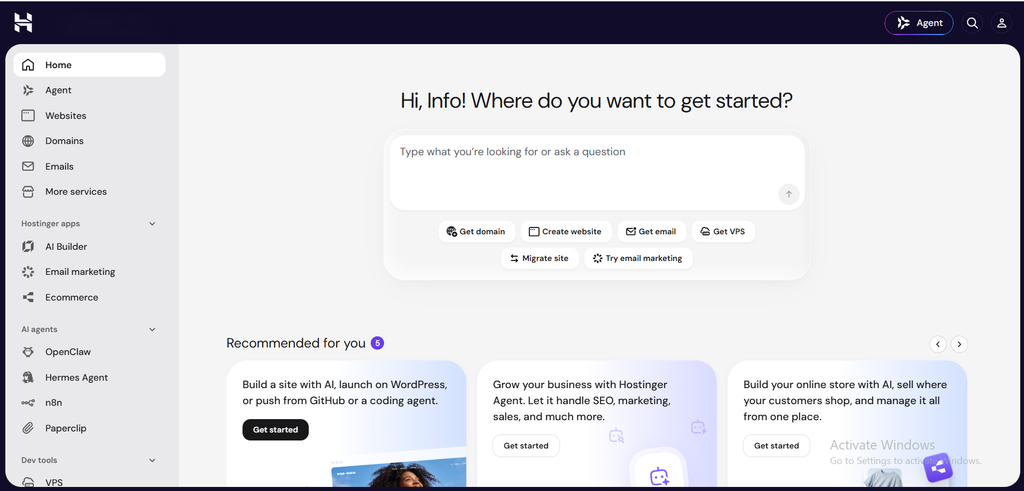
Hostinger Agent. Hostinger says its AI assistant, Hostinger Agent, is included with every plan and can help with migrating, fixing, editing and managing your site through chat. It is handy for beginners, though it does not replace a human when something breaks.
Hostinger AI Website Builder and WordPress
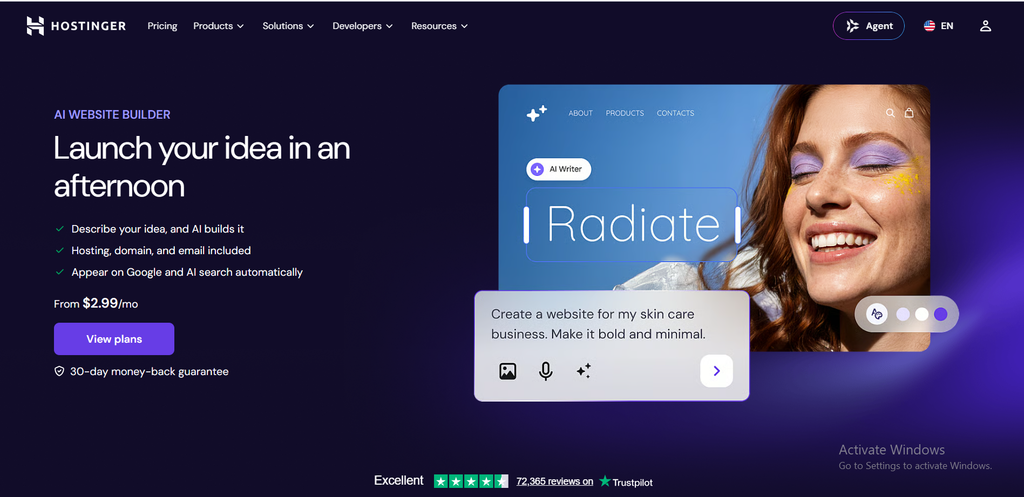
The Hostinger AI website builder lets you describe your site and generate a first version. You then refine it with AI chat or drag-and-drop editing. Premium includes 5 AI Builder credits, while Unlimited and Cloud Startup include 15.
If you prefer more control, Hostinger WordPress hosting is the better route. Hostinger supports WordPress, Node.js and custom code from the same account, and it migrates existing sites for free.
Hostinger Login: hPanel, Admin, Email and App
Login questions are some of the most common ones, so here is each path in one place.
Hostinger Login and hPanel Hostinger Login
Go to the Hostinger login page and sign in with the email and password you used to register. That opens hPanel, where you manage hosting, domains and billing.
Hostinger Login Admin (WordPress)
Your WordPress admin is separate from hPanel. Open your site’s /wp-admin address and sign in with the WordPress username you created during setup. You can also reach the WordPress dashboards from the hPanel side panel.
Hostinger Login Email and Webmail
Go to mail.hostinger.com and sign in with your full mailbox address and that mailbox’s password, not your hPanel password. You can also open Emails in hPanel, choose Mailboxes, and click Webmail next to the mailbox.
If the Hostinger email login fails, check three things:
- You are using the mailbox password, not the hPanel password.
- The mailbox already exists under your domain.
- You typed the full address, such as name@yourdomain.com.
Hostinger’s own webmail guide has the latest steps.
Hostinger Login App
I could not confirm a current official hPanel mobile app. An older Hostinger support article says hPanel has no mobile control panel or email app and warns against downloading unverified apps. The safe route is to open hPanel in your phone browser.
For email on your phone, add your mailbox to Gmail or Outlook with IMAP and SMTP settings.
Hostinger Email and Mail
Hostinger email lets you send from a branded address like hello@yourdomain.com. That looks more trustworthy than a free Gmail address, especially for client work.
Hostinger’s current webmail app is called Hostinger Mail. Mailboxes come with hosting plans, and you can also buy standalone business email.
Hostinger VPS
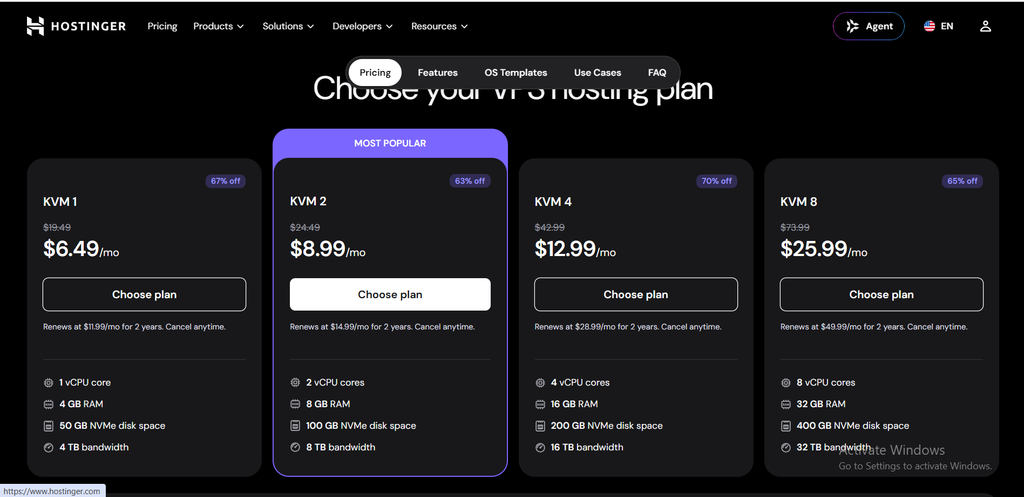
Hostinger VPS is for people who need full control, such as developers, SaaS projects and AI or automation setups. All plans use AMD EPYC processors and NVMe storage, and come with full root access, weekly backups, a 1 Gbps network, a public API and an AI web terminal. hostinger
| Plan | Price | vCPU | RAM | Storage | Bandwidth |
|---|---|---|---|---|---|
| KVM 1 | $6.49/mo | 1 | 4 GB | 50 GB NVMe | 4 TB |
| KVM 2 | $8.99/mo | 2 | 8 GB | 100 GB NVMe | 8 TB |
| KVM 4 | $12.99/mo | 4 | 16 GB | 200 GB NVMe | 16 TB |
| KVM 8 | $25.99/mo | 8 | 32 GB | 400 GB NVMe | 32 TB |
These prices renew at $11.99, $14.99, $28.99 and $49.99 a month respectively.
There is one important warning. Hostinger VPS is unmanaged, so you handle the operating system, firewall and security patches yourself. If you are new to servers, start with shared or cloud hosting instead. See the Hostinger VPS page for current prices.
Hostinger Minecraft Hosting
Hostinger Minecraft hosting is a good fit for small communities and friends’ servers. TechRadar notes that these plans include a malware scanner, a dedicated IP for DDoS protection, automated backups and the Kodee AI assistant.
Setup is a little harder than a one-click WordPress install, but Hostinger has tutorials for mods and server types. Check the Minecraft hosting page for current pricing
Hostinger Security
Security is one of Hostinger’s stronger areas for the price. Shared plans include unlimited free SSL certificates, a malware scanner, DDoS protection, a web application firewall, Cloudflare-protected nameservers and a secure access manager for sharing account access.
Many hosts charge extra for these features, so this adds real value on a budget plan.
Hostinger Support
Hostinger offers 24/7 live chat, tickets, a knowledge base and AI help. It does not offer phone support. In TechRadar’s test, live chat replied within a couple of minutes and a ticket got an answer in 17 minutes.
Not every review is that positive. Cybernews felt live chat now sends people to tutorials too often, and gave support 3 out of 5. Expect fast answers for simple questions and slower help for complex ones.
What Do Users Say? Hostinger Reviews
Public Hostinger reviews are mostly positive. AllAboutCookies reports a 4.7 Trustpilot rating from over 72,000 reviews, with praise for the dashboard and setup, and most complaints about customer service. Check the live Trustpilot page for today’s score.
Technical forums are more mixed. Cybernews notes that experienced users on Reddit mention resource throttling on shared plans for larger stores, confusing renewal pricing and the shift toward AI support.
Hostinger Pros and Cons
Pros
- Low starting price with a free domain for the first year
- Easy hPanel dashboard and fast setup
- Free SSL, malware scanner, DDoS protection and CDN
- Data centers in 11 countries
- 30 day money-back guarantee
- Good-value VPS plans
Cons
- Renewal prices are much higher than intro prices
- No phone support
- Shared plans can struggle with heavy stores and image processing
- VPS is unmanaged
- AI-first support can feel impersonal
Who Should Use Hostinger?
Hostinger is a good fit for:
- Beginners launching a first website
- Bloggers and affiliate marketers on WordPress
- Freelancers and small local businesses
- Developers who want cheap VPS power
Look elsewhere if you:
- Need phone support
- Need HIPAA-compliant hosting
- Run a very large, high-traffic store on shared hosting
Is Hostinger Good for SEO?
Hosting does not rank a site by itself, but it affects speed and uptime, and both shape user experience. Google’s Core Web Vitals include LCP, the same loading metric used in the tests above.
Hostinger gives you a solid base. Cybernews recommends adding LiteSpeed caching and a CDN to get the best load times. After that, content, internal linking and technical SEO do the real work.
Related reading on my site:
- Is Hostinger good for SEO?
- Best hosting for bloggers
- SaaS SEO and Ecommerce SEO
- Healthcare SEO
- Case studies
Final Verdict: Is Hostinger Worth It?
Yes, for most beginners and small sites, Hostinger is worth it. It is cheap, fast enough, easy to manage and backed by a 30 day refund window.
Just plan for the renewal price and remember that support is chat and ticket only. If you decide to try it, use my referral link for 20% off.
Hostinger FAQ
-
Is Hostinger good?
Yes, for beginners, WordPress sites and small businesses. It offers low prices, easy setup and solid speed. Very large stores may outgrow shared plans.
-
Is Hostinger legit?
Yes. It is an established hosting provider with millions of users worldwide and a public 30 day refund policy.
-
Is there a Hostinger coupon code?
Hostinger already shows discounted prices, and a referral link gives 20% off. Verify any coupon code at checkout before paying.
-
How do I log in to Hostinger?
Use the hPanel login page. For email, use mail.hostinger.com with your mailbox address and password.
-
Does Hostinger offer refunds?
Yes, there is a 30 day money-back guarantee on hosting plans. Domain registrations follow separate rules, so read the refund policy.
-
Does Hostinger have phone support?
No. Support is 24/7 live chat and tickets.
-
Is Hostinger VPS good for beginners?
Not really. It is unmanaged, so you handle security and setup yourself. Beginners should start with shared or cloud hosting.
Written by Nayem Khan, SEO and GEO consultant. About me